Apple Developer Program for AI Agent Products: Build Distribution, Signing, and Trust Workflows That Survive Production

The Apple Developer Program looks like an enrollment step until your AI agent product needs to ship on macOS, iOS, iPadOS, or visionOS with real users, real credentials, and real support tickets.
Teams think the problem is getting into the Apple Developer Program. The real problem is designing the operating system around it: account ownership, signing keys, entitlements, App Review constraints, privacy disclosures, distribution channels, update workflows, audit trails, and the boundary between a user, an agent, and a hosted backend.
That changes the conversation. If you are building agent SDKs, MCP servers, plugins, desktop copilots, or mobile agent clients, Apple platform distribution is not just a store submission. It is a trust architecture decision.
The practical question is not whether you can enroll. The practical question is whether your engineering, security, legal, and support workflows can keep shipping after enrollment without turning certificates, permissions, and agent actions into a brittle mess.
Table of contents
- Why the Apple Developer Program is an architecture decision
- Enrollment, ownership, and trust boundaries in the Apple Developer Program
- Model agents as products, not invisible scripts
- Signing, notarization, and CI/CD controls
- Distribution strategy inside the Apple Developer Program
- Runtime permissions, privacy, and credential sharing
- Events, webhooks, and audit trails for Apple-platform agents
- Implementation workflow for agent-ready Apple apps
- Failure modes that break Apple Developer Program implementations
- Where logicsrc.com fits
Why the Apple Developer Program is an architecture decision

The thing teams underestimate
The Apple Developer Program is often treated as a checklist item: pay the fee, verify the company, create bundle IDs, generate certificates, ship. That view works for a single-purpose app with a small team and limited backend complexity.
It breaks down when the app is part of an AI agent system. The moment your product can act on behalf of a user, call tools, coordinate with hosted services, pass credentials, or trigger workflows outside the device, Apple distribution becomes one layer in a larger trust chain.
The mistake teams make is putting Apple-specific work at the end of the project. They build the agent runtime, MCP integration, plugin marketplace, sync service, or desktop automation layer first. Then, near launch, they discover that entitlement boundaries, App Review language, privacy labels, signing custody, and update paths were architecture decisions all along.
Practical rule: Treat the Apple Developer Program as production infrastructure, not as a publishing portal.
Why AI agent products make it harder
AI agent products create ambiguity that traditional apps avoid. A notes app edits notes. A calendar app manages calendars. An agent may read a note, summarize it, schedule a meeting, call a plugin, send a request to a hosted model, and ask another agent to continue the workflow.
That ambiguity affects how you design product controls. Users need to understand what the agent can do. Engineers need clear capability boundaries. Reviewers need accurate descriptions. Support teams need action history. Security teams need revocation paths.
A useful way to think about it is that the Apple Developer Program gives you distribution trust, but it does not give you agent trust. You still need identity, consent, provenance, authorization, and replayable event history above the platform layer.
Related reading from our network: teams designing identity-heavy media sessions face a similar split between platform access and operational trust in ID Streaming in 2026.
What good looks like
A mature Apple-platform agent product has a few recognizable properties:
- The Apple account is owned by the company, not by a founder laptop.
- Certificates and signing credentials are managed like secrets.
- Entitlements map to documented product capabilities.
- CI/CD performs signing, notarization, and release promotion deterministically.
- Privacy disclosures reflect actual data flows.
- Agent actions are logged as structured events, not buried in UI state.
- Support can answer why an action happened and who authorized it.
This is not bureaucracy. It is what keeps a tool usable when more than three people are shipping it.
Enrollment, ownership, and trust boundaries in the Apple Developer Program
Individual versus organization accounts
For serious developer tools, organization enrollment is usually the right baseline. Individual enrollment may be fine for experiments, prototypes, or indie apps, but platform teams building SDKs, plugins, or hosted agent products need durable ownership.
The account should survive employee changes, acquisitions, contractor rotation, and incident response. If the person who enrolled leaves and nobody can access the right account capabilities, your release process becomes hostage to admin recovery.
The practical question is: who is the legal owner of the trust relationship with Apple, and who can act inside it?
For agent systems, that question matters because users are not only trusting your binary. They are trusting the vendor identity behind tool calls, background processes, credential requests, and updates.
Roles, keys, and account access
Access to App Store Connect, Certificates, Identifiers and Profiles, CloudKit, Developer ID signing, and related services should be role-based. Do not give broad account access just because someone needs to upload a build.
At minimum, separate these responsibilities:
- Account holder or legal owner
- App manager or release owner
- Certificate and provisioning maintainer
- CI/CD secret administrator
- Privacy and compliance reviewer
- Support operator with read-only diagnostic access
Practical rule: If the same human can approve a release, change signing assets, modify privacy disclosures, and rotate production secrets without review, you do not have a release process. You have a permission pile.
The issue is not whether you trust the person. The issue is whether the system can explain what changed after something goes wrong.
Vendors, maintainers, and contractor access
Open source maintainers and external development partners complicate Apple Developer Program operations. Many agent products include community-built plugins, reference clients, SDK wrappers, or local connectors. The vendor who writes the Swift app should not automatically receive account-level control over production distribution.
For contractor-heavy builds, create an access pattern before the work starts:
- Contractors submit code through normal review.
- Internal CI performs signing.
- Release promotion requires named internal approval.
- External users get access only to the minimum App Store Connect roles required.
- Emergency paths are documented and tested.
Related reading from our network: local coordination systems hit similar ownership and follow-up problems, even outside software, in Local Community Network Consultant.
Model agents as products, not invisible scripts
The user must know what is acting
An AI agent on Apple platforms should not feel like a hidden daemon that occasionally changes things. If the product can act, the product should show what actor is acting: the user, the local app, a hosted agent, a plugin, or a third-party integration.
This matters for user trust and platform review. It also matters for debugging. When a calendar invite is sent, a file is modified, or a support ticket is opened, the system needs an actor model that makes sense.
Bad actor modeling creates vague logs:
- Action performed by app
- Action performed by assistant
- Action performed by automation
Useful actor modeling creates operational records:
- User approved action in macOS client
- Local agent invoked calendar tool
- Hosted planner requested confirmation
- Plugin executed with delegated token
- Sync service recorded completion event
That level of clarity is not overengineering. It is the minimum needed to support multi-agent behavior.
Agent capabilities should map to entitlements
Apple entitlements define platform capabilities. Your agent capabilities should be designed around that reality, not bolted on later.
If your app wants to access files, camera, microphone, contacts, calendars, Bluetooth, location, notifications, keychain items, app groups, network extensions, or background execution, each capability should have a product reason, a user-facing explanation, and a review story.
The mistake teams make is designing a general agent first and then asking for broad device access. That approach creates review risk and trust risk. Instead, define narrow capability lanes.
For example:
- Research assistant: read selected documents, generate summaries, never modify files without confirmation.
- Developer assistant: access a selected project directory, run approved commands, write patches after review.
- Sales assistant: read CRM context through API delegation, draft messages, require user approval before sending.
- Operations agent: monitor events, escalate anomalies, never access personal user data.
Hosted agents need local accountability
Many AI products split execution between an Apple client and hosted services. The local app handles UI, permissions, notifications, and secure storage. The hosted system handles planning, model calls, tool orchestration, retrieval, and long-running tasks.
That split is normal. What breaks in practice is accountability. Users experience the product through the Apple app, even when the meaningful decision happened in the cloud. If the hosted agent takes an action, the local app still needs to explain it.
At logicsrc.com, we usually frame this as a coordination surface problem: actors, permissions, credentials, events, and outcomes need open shapes that survive across clients, plugins, and hosted products. The LogicSRC open coordination surface is built around that problem rather than around one specific UI or runtime.
Signing, notarization, and CI/CD controls
Signing is a release dependency
Code signing is not paperwork. It is the mechanism by which users and operating systems decide whether software came from the expected developer identity and whether it has been modified.
For AI agent products, signing has extra operational weight. Agents may run in the background, communicate with hosted services, store delegated credentials, call local tools, or update frequently. If signing is flaky, manual, or opaque, every release becomes a risk.
Build a signing model with these constraints:
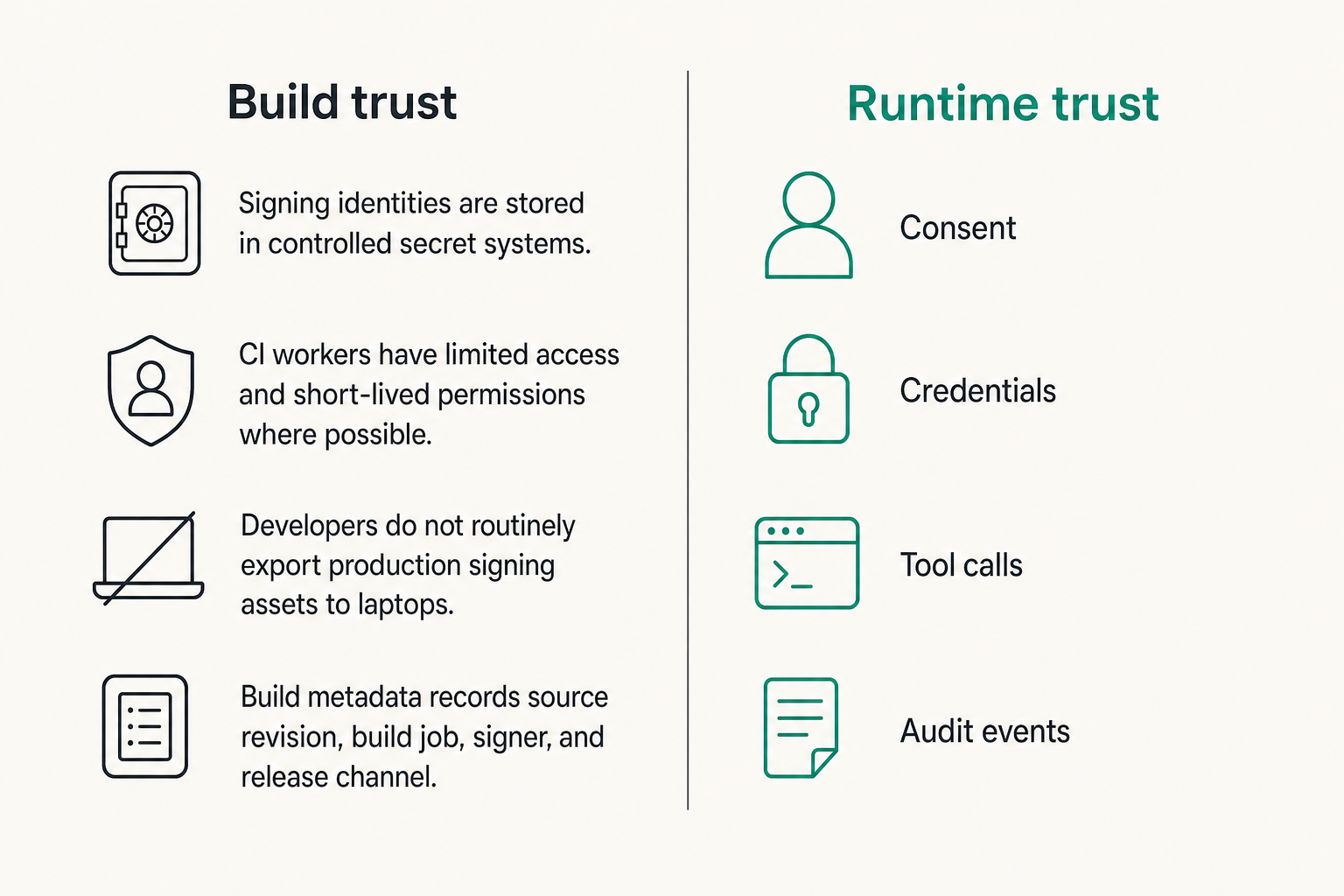
- Signing identities are stored in controlled secret systems.
- CI workers have limited access and short-lived permissions where possible.
- Developers do not routinely export production signing assets to laptops.
- Release artifacts are immutable after signing.
- Build metadata records source revision, build job, signer, and release channel.
Practical rule: Never make a production release depend on a certificate stored only on one engineer's machine.
Notarization belongs in the pipeline
For macOS distribution outside the App Store, notarization should be automated. Manual notarization is fine when you are learning. It is not fine when customers depend on timely updates.
A typical macOS release lane should include:
- Build from a clean source revision.
- Run tests, static checks, and dependency scans.
- Sign the app and helper binaries.
- Submit for notarization.
- Staple notarization results where appropriate.
- Verify installation on a clean machine.
- Promote the artifact to the update feed.
This is especially important for agent products with helper tools, login items, command runners, browser extensions, or local MCP bridges. Every helper binary needs to be accounted for. If one component is unsigned or incorrectly signed, the user sees a confusing operating system warning, and support gets the ticket.
Separate build trust from runtime trust
Build trust answers: did this binary come from the expected developer through the expected release process?
Runtime trust answers: should this agent be allowed to perform this action right now for this user with this credential?
Do not confuse the two. A signed app can still misuse credentials. A notarized helper can still execute an unsafe workflow. A correctly distributed client can still delegate too much power to a hosted planner.
This is where open agent standards matter. Build systems prove artifact integrity. Agent coordination schemas prove who requested an action, what permission was used, what tool executed, and what result was produced.
Distribution strategy inside the Apple Developer Program
App Store, TestFlight, direct distribution, and enterprise
The Apple Developer Program supports different distribution paths, and each path changes your operating model.
App Store distribution gives you consumer-grade reach and familiar installation, but it also requires review alignment, privacy disclosure discipline, and careful feature communication. TestFlight is useful for beta cohorts, but it is not a substitute for release management. Direct macOS distribution gives you more control, but you own more of the update, support, and trust experience. Enterprise distribution is for internal organizational use and should not be treated as a shortcut for public deployment.
Agent products often need more than one lane. A consumer assistant may use the App Store. A developer tool may use direct macOS distribution. An enterprise workflow agent may need managed deployment with admin controls.
Choose channels by support burden
Distribution is not only a growth decision. It is a support decision.
If your agent product needs frequent model-policy updates, plugin capability changes, or customer-specific connectors, your release channel must support that reality. If users need a stable audited binary for regulated workflows, your update cadence and approval process must match.
A useful way to think about it is to separate binary updates from policy updates:
- Binary update: signed app, helper tools, entitlements, UI changes.
- Policy update: allowed tools, model routing, prompt templates, risk rules, workflow gates.
- Connector update: API integrations, MCP servers, plugin schemas, credential scopes.
- Content update: documentation, examples, onboarding flows.
Not every change should require a new app release. But every change that affects agent authority should be auditable.
Comparison table for agent teams
| Distribution path | Works well for | What breaks in practice | Agent-specific concern |
|---|---|---|---|
| App Store | Broad user distribution, standard install, familiar updates | Review surprises, privacy mismatch, slow emergency changes | Clear descriptions of agent behavior and data use |
| TestFlight | Beta testing, staged feedback, pre-release validation | Teams treat beta as operations instead of validation | Testers need realistic credentials and event logging |
| Direct macOS | Developer tools, power-user apps, custom update flows | Signing and notarization become fragile if manual | Helper tools and local bridges need strict release control |
| Enterprise/internal | Managed deployment inside one organization | Misused as public distribution shortcut | Admins need policy, audit, and revocation controls |
The practical question is not which channel is best. The practical question is which channel matches your promise to users and your ability to support failures.
Runtime permissions, privacy, and credential sharing
Permission prompts are not consent architecture
Apple permission prompts are necessary, but they are not enough. A prompt can grant access to contacts, files, microphone, or location. It does not explain every future agent action that might use that access.
For agent products, consent needs layers:
- Platform permission: the app can access a resource.
- Product permission: the agent can use a capability.
- Workflow permission: this specific task is allowed.
- Action confirmation: this irreversible or external action is approved.
- Delegation boundary: this credential or token can be used only within scope.
What fails is the all-or-nothing prompt model. Users approve a broad permission once, then the system assumes every downstream action is acceptable. That is not a safe default for agents.
Credential sharing needs scoped delegation
Credential sharing is where many agent systems get dangerous. An API key, OAuth token, session cookie, or signing secret can turn a harmless assistant into an actor with real authority.
The better pattern is scoped delegation. Agents should receive narrowly scoped, time-bound, revocable credentials. The credential should describe what it can do, which actor requested it, which tool may use it, and which workflow it belongs to.
For teams designing this layer, the credential sharing primitives at logicsrc.com are directly relevant because they focus on delegation boundaries between humans, agents, plugins, and hosted systems.
A simple credential delegation record can be modeled as:
subject: user-123
agent: local-dev-assistant
resource: github-repo-acme-api
scope: read-issues write-branches
expires: 2026-08-14T18:00:00Z
review_required_for: merge delete release
The exact schema will vary. The point is that credential use should be explainable without reverse engineering application code.
Privacy disclosures must match actual behavior
Apple privacy disclosures, product copy, and real telemetry should agree. If your App Store listing says data is not linked to a user, but your hosted agent correlates device identifiers, account IDs, prompts, tool results, and billing records, you have a problem.
For AI agent products, document these data flows early:
- What runs locally versus remotely?
- What prompts or user inputs are sent to hosted models?
- What tool outputs are stored?
- Which events are used for debugging?
- Which logs contain personal data?
- How are credentials encrypted, revoked, and rotated?
- Can users export or delete action history?
This is not just policy work. It affects schema design, logging, retention, support tooling, and review responses.
Events, webhooks, and audit trails for Apple-platform agents
The UI is not the system of record
A common failure pattern is relying on the Apple client UI as the source of truth. The app shows a chat transcript, a task list, or a completion screen, but the real workflow spans a hosted planner, model gateway, plugin calls, MCP server, payment event, and notification service.
When something goes wrong, the UI cannot answer the real questions:
- Who requested the action?
- Which model or planner generated the step?
- Which credential was used?
- Which local permission was active?
- Which plugin executed?
- What did the external API return?
- Was the user asked for confirmation?
The system of record should be an event stream or audit log that can reconstruct the workflow.
Agent actions need durable events
Agent actions should produce structured events with stable IDs. Do not depend on natural language transcripts alone. They are useful for humans, but they are poor operational records.
A minimal agent event should include:
- event_id
- timestamp
- actor
- user_id or tenant_id
- device or client identifier
- workflow_id
- tool or capability
- credential reference, not secret value
- input reference
- output reference
- approval state
- result state
Related reading from our network: SOC teams have the same ownership problem during response; the incident commander role described in Incident Commander is a useful analogy for keeping agent workflow ownership from collapsing.
Audits should be useful before there is an incident
Audit trails should not be cold storage that nobody queries until legal asks for them. They should support normal operations:
- Customer support investigation
- Release regression analysis
- Plugin abuse detection
- Credential revocation review
- App Review clarification
- Enterprise admin reporting
- Internal security validation
Practical rule: If support cannot reconstruct a user-visible agent action in under a few minutes, your audit trail is probably designed for compliance theater, not operations.
This is where platform architects should push back on vague observability. Logs are not enough. Metrics are not enough. You need events that preserve business meaning.
Implementation workflow for agent-ready Apple apps
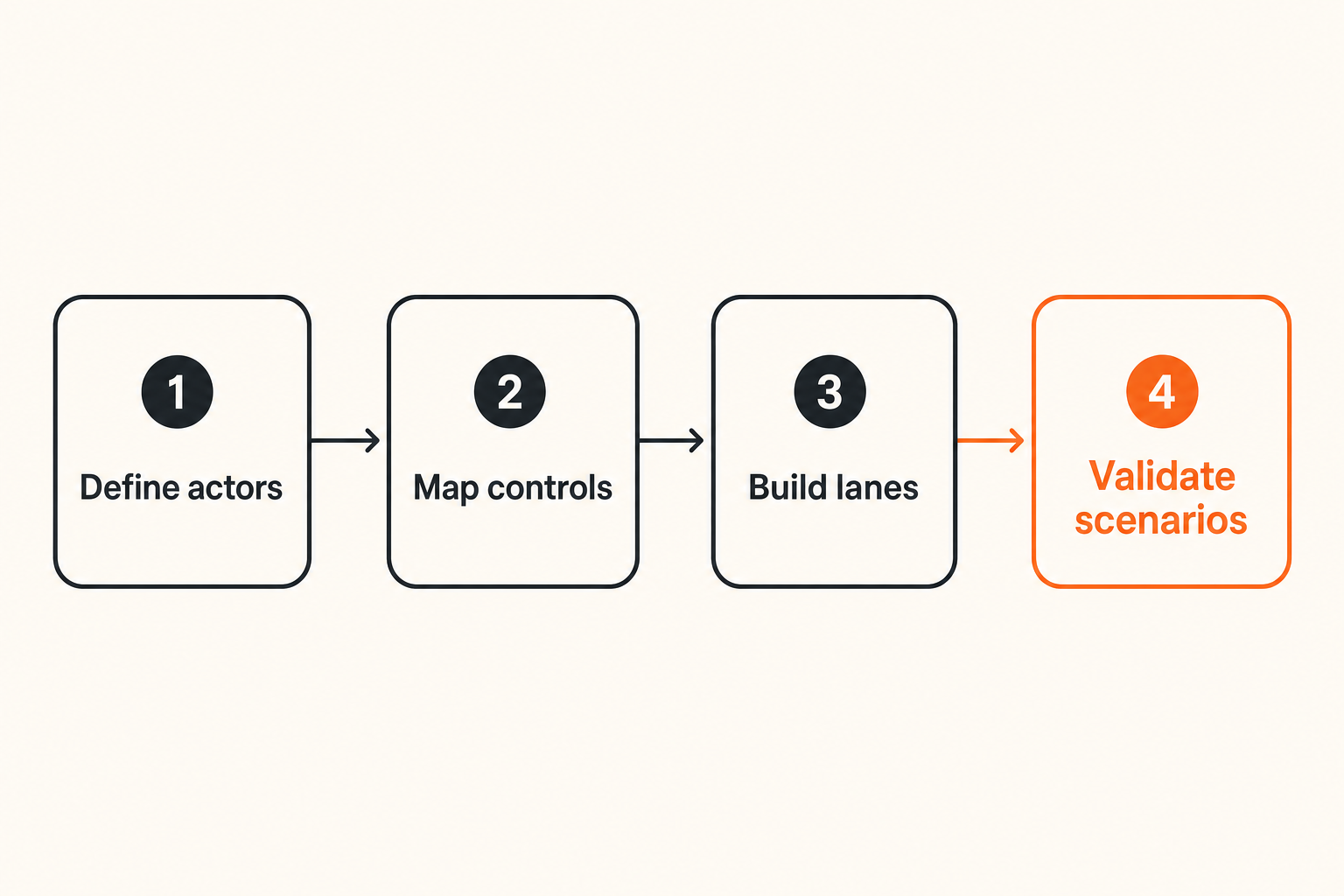
Step 1 define actors and ownership
Start with actors, not screens. List every entity that can request, approve, execute, or observe an action.
A practical actor list might include:
- Human user
- Local Apple app
- Local helper tool
- Hosted agent planner
- MCP server
- Third-party plugin
- Admin or organization owner
- Support operator
- CI/CD release actor
For each actor, define what it can do and what it cannot do. This will shape entitlements, API scopes, UI confirmations, and audit events.
Step 2 map capabilities to platform controls
Next, map product capabilities to Apple controls and backend controls.
For example:
- File analysis requires user-selected file access, local indexing rules, and event records.
- Calendar scheduling requires calendar permission, OAuth delegation, confirmation gates, and external API logging.
- Developer automation requires project-directory access, command allowlists, sandbox decisions, and diff review.
- Notifications require platform notification permission, delivery policy, and user preference sync.
- Background tasks require platform-appropriate background modes and a supportable explanation.
This mapping should become a design artifact. Keep it in the repo. Review it when features change.
Step 3 build release and review lanes
Do not run every change through the same path. Separate lanes reduce risk.
A workable lane model:
- Local development builds with non-production identifiers.
- Internal signed builds for team testing.
- TestFlight or beta builds for external validation.
- Release candidate builds with locked dependencies.
- Production builds signed by CI.
- Emergency patch lane with explicit approval.
- Policy/configuration lane for non-binary changes.
The Apple Developer Program assets should be used differently in each lane. Development certificates should not be confused with production release signing. Test app identifiers should not accidentally receive production push notification credentials. Beta testers should not use live customer secrets unless you have a reason and controls.
Step 4 validate with operational scenarios
Validation should not stop at app launch. Test the workflows that will create real incidents.
Use scenario tests like these:
- A certificate expires during a planned release.
- A plugin requests a broader credential than expected.
- App Review asks how agent data is processed.
- A customer asks why an agent sent a message.
- A hosted service outage interrupts a local workflow.
- A user revokes a permission while a task is running.
- A contractor leaves before a release is submitted.
- A model policy update changes tool behavior.
What works is rehearsing these scenarios before launch. What fails is assuming production will behave like the demo.
Failure modes that break Apple Developer Program implementations
One account becomes production infrastructure
This is the classic failure. One person enrolls. One laptop signs builds. One inbox receives critical Apple notifications. One undocumented process ships releases.
It works until it does not. Then a certificate expires, a build fails, an employee leaves, or App Review needs clarification. Nobody knows who owns the response.
The fix is boring and necessary:
- Organization-owned enrollment
- Documented roles
- Shared but controlled administrative access
- CI-based signing
- Calendar reminders for renewals and expirations
- Account recovery procedures
- Release runbooks
If this feels too heavy, compare it with the cost of being unable to ship a security update.
Entitlements drift away from product reality
Entitlement drift happens when the app asks for capabilities that no longer match the product, or the product quietly starts using capabilities nobody documented.
Agent products are especially prone to this because capabilities expand through plugins, prompts, hosted policies, or enterprise configuration. The binary may not change, but the agent's behavior does.
Prevent drift with a capability register:
| Capability | Apple control | Backend control | User explanation | Review owner |
|---|---|---|---|---|
| Read selected files | File access and sandbox design | Workflow scope | Summarize documents chosen by user | Product security |
| Send calendar invite | Calendar permission and API delegation | Confirmation required | Schedule approved meetings | Product manager |
| Run local command | Helper tool and sandbox boundary | Command allowlist | Execute approved developer tasks | Engineering lead |
| Use external plugin | Network access and credential scope | Plugin registry policy | Connect to enabled tools | Platform owner |
Review this register every time a new agent capability ships.
Support cannot explain agent behavior
This failure is more damaging than teams expect. A user asks: why did the agent do that? Support sees only a chat transcript, a generic error, or a server log with a request ID nobody can trace.
Now the issue escalates to engineering. Engineering queries multiple systems. The answer arrives two days later, maybe. The user has already lost trust.
For AI agent products, support tooling should expose a safe operational timeline:
- User request
- Agent plan
- Permission check
- Credential used
- Tool call
- External response
- Confirmation gate
- Final action
- Error or completion state
Sensitive data should be redacted, but the workflow shape should be visible. Otherwise every support question becomes a forensic investigation.
Where logicsrc.com fits
Open coordination surfaces for agent products
The Apple Developer Program solves part of the platform trust problem: developer identity, signing, distribution, entitlements, review, and platform capabilities. It does not define how your AI agents coordinate with plugins, credentials, hosted services, payment events, or human approvals.
That is the layer logicsrc.com focuses on. The goal is not to replace Apple platform controls. The goal is to make the agent coordination layer explicit enough that Apple clients, web services, MCP servers, SDKs, and hosted products can share context without inventing a new private protocol for every integration.
Useful surfaces include:
- Actor identity
- Permission grants
- Credential delegation
- Tool invocation
- Workflow state
- Event records
- Approval gates
- Audit trails
- Cross-product handoff
If your Apple app is the front door to a broader agent system, these surfaces become part of the product architecture.
When to standardize before you automate
Automation makes bad boundaries fail faster. Before you let agents execute across apps, devices, plugins, and accounts, standardize the records that describe what is happening.
Start with the boring questions:
- What is an actor?
- What is a delegated credential?
- What is an approved action?
- What is a tool result?
- What is a workflow event?
- What is a revocation?
- What is a human review gate?
Once those shapes are stable, automation becomes safer. Without them, every integration becomes a one-off bridge with its own hidden assumptions.
If you need help turning an Apple-platform agent product into a coherent distribution, signing, identity, and workflow architecture, the platform work from logicsrc.com is designed for teams operating at that boundary.
The Apple Developer Program matters because it anchors trust on Apple platforms. For AI agent teams in 2026, the winning move is to connect that platform trust to open coordination, scoped credentials, durable events, and supportable workflows.
Try logicsrc.com
You are writing for developers and platform teams building interoperable AI agent systems, SDKs, plugins, and hosted products. Try logicsrc.com.