Mac Tools for AI Agent Builders: A Practical 2026 Workflow Architecture

Mac tools used to mean a comfortable developer setup: terminal, package manager, editor, browser, maybe a local database. For AI agent builders in 2026, that is no longer enough.
The laptop is now part of the agent runtime. It runs MCP servers, local models, credential brokers, test harnesses, browser automation, event inspectors, vector stores, prompt traces, and SDK sandboxes. If the local system is messy, the hosted product will inherit the mess.
Teams think the problem is choosing the best mac tools. The real problem is designing a repeatable workflow where tools, agents, credentials, events, and audit trails behave the same way on a laptop, in CI, and in production.
That changes the conversation. The practical question is not “which app should we install?” It is “what local architecture lets an engineer build an interoperable agent without creating a private universe that nobody else can run, test, or trust?”
Table of contents
- Mac tools are now part of the agent architecture
- The mac tools stack for agent builders
- Local runtime design before tool selection
- MCP and tool calling on macOS
- Credentials secrets and permission boundaries
- Events logs and traces for agent debugging
- Testing mac tools across agents plugins and SDKs
- Implementation workflow for a reliable Mac agent environment
- Common failure modes with mac tools
- Where LogicSRC fits in the workflow
- Closing checklist for mac tools in 2026
Mac tools are now part of the agent architecture
Why the laptop became a runtime
A useful way to think about it is this: the developer Mac is no longer just a client for cloud services. It is a small integration environment.
An engineer may run a local LLM, a hosted model proxy, multiple MCP servers, a browser automation bridge, a vector index, a mock payment service, a queue emulator, and a tracing viewer before lunch. Each component has state. Each component has credentials. Each component can drift from what the rest of the team expects.
The mistake teams make is treating mac tools as personal preference. Personal preference is fine for a font, shell prompt, or window manager. It is not fine for the agent tool surface that determines which files can be read, which APIs can be called, which credentials are exposed, and which events are recorded.
Practical rule: If a local tool can change agent behavior, it belongs in the architecture, not in somebody’s dotfiles.
What changes when agents call tools
Classic developer tools wait for a human command. Agent tools are different. An agent may call a tool as part of a plan, retry after partial failure, chain outputs into another tool, or act on stale context unless the tool contract prevents it.
That means the local environment must answer practical questions:
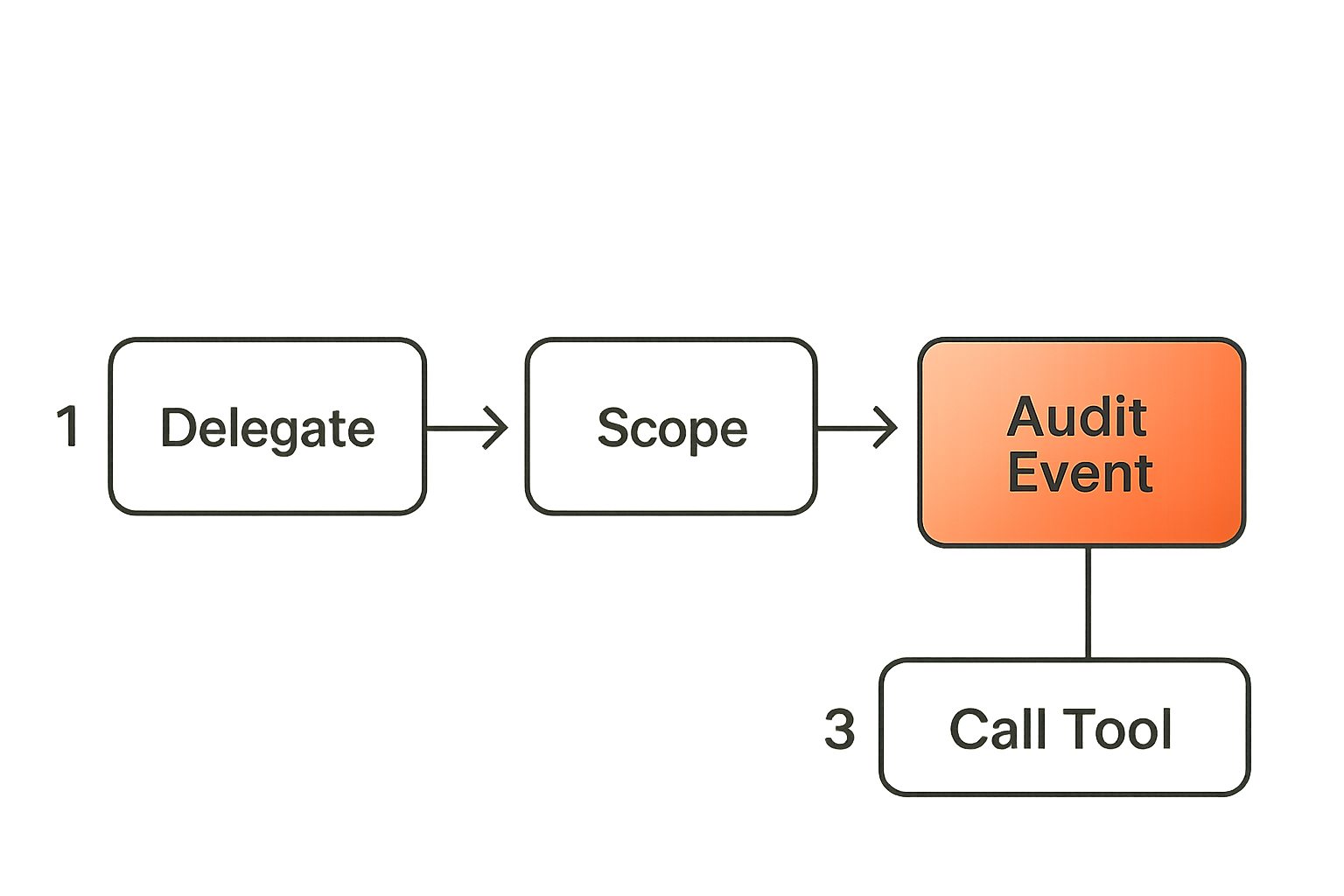
- Which agent is allowed to call which tool?
- What input schema does the tool accept?
- What output schema is stable enough for another agent or plugin?
- What happens when the tool times out?
- Is the decision trace visible after the fact?
- Can CI reproduce the same behavior without a GUI session?
These are workflow questions, not app-store questions.
The operator view of a developer Mac
From an operator’s perspective, every developer Mac has four layers:
- System layer: shell, package manager, runtime versions, local networking, certificates.
- Agent layer: model clients, MCP servers, plugin runners, local orchestration scripts.
- Trust layer: credentials, permissions, signing, policy, consent, audit logs.
- Evidence layer: traces, event logs, test results, fixtures, replay data.
If one layer is invisible, debugging becomes guesswork. If each layer is owned by a different team with no contract, the workflow becomes brittle.
Related reading from our network: security teams face the same context-sharing problem when disconnected tools break investigations, as described in this practical guide to SOC architecture and security systems.
The mac tools stack for agent builders
Base system tools
The base stack should be boring. That is the point.
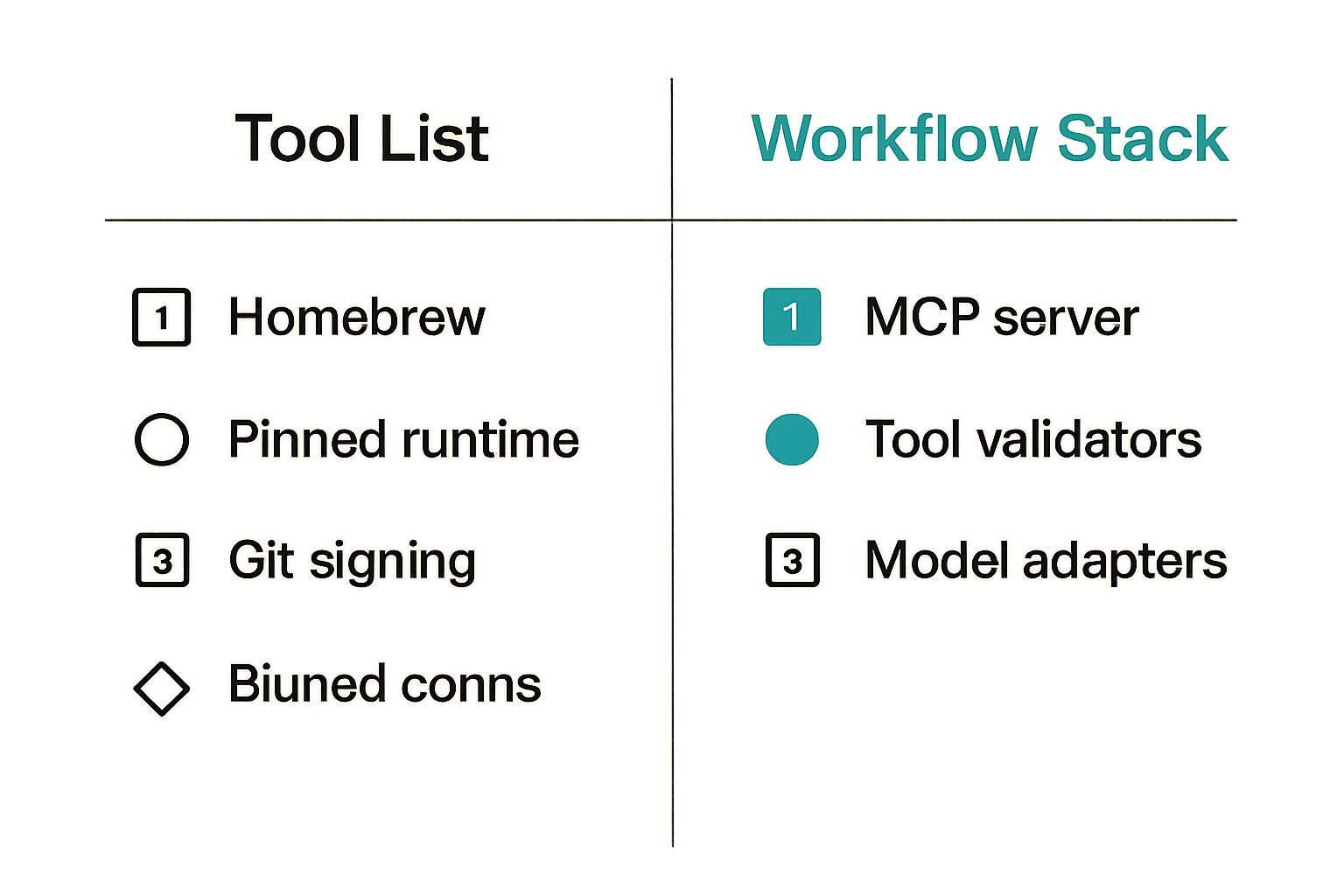
For most agent engineering teams, a reliable Mac baseline includes:
- Homebrew or another managed package installer.
- A pinned runtime manager for Node, Python, Go, Rust, or Java.
- Git with consistent signing and identity configuration.
- A container runtime when local isolation is required.
- A process supervisor for local services.
- A task runner such as
just,make,task, or npm scripts. - A secrets interface that does not rely on pasting tokens into shell history.
The exact tools matter less than whether the setup is reproducible. If onboarding requires a two-hour screen share and a private Slack thread, the architecture is already leaking.
Agent protocol tools
The agent-specific layer is where most teams move too fast.
A practical mac tools stack for AI agent development usually needs:
- MCP server runners and inspectors.
- Tool schema validators.
- Local model adapters or hosted model clients.
- Prompt and context fixture stores.
- Plugin sandboxes.
- Event emitters for agent actions.
- Replay tooling for failed tasks.
If you are building around open coordination surfaces, it helps to separate agent logic from tool exposure. LogicSRC describes this broader direction as open schemas and conventions for coordination between humans, agents, plugins, payments, and hosted products on its about page.
Workflow and observability tools
Agent workflows fail quietly unless you capture enough evidence. The minimum useful observability layer includes:
| Layer | What to capture | Why it matters |
|---|---|---|
| Prompt input | System, developer, user, retrieved context | Explains why the agent acted |
| Tool call | Tool name, input, output, duration, error | Shows the operational path |
| Permission check | Actor, scope, decision, reason | Prevents hidden privilege creep |
| State mutation | File, API, database, event stream | Shows what changed |
| Final response | Output, confidence signals, citations if used | Supports review and support |
This is not about collecting everything forever. It is about having enough local evidence to reproduce a bug before it becomes a production incident.
Local runtime design before tool selection
Separate host user and agent identity
One of the most common mistakes is letting the agent inherit the developer’s entire local identity. If the agent can read what the shell can read, call what the developer can call, and mutate what the developer can mutate, there is no meaningful boundary.
You do not need enterprise ceremony for every local prototype. You do need a model that distinguishes:
- The human developer.
- The local agent process.
- The tool server.
- The external service account.
- The production actor the workflow represents.
Practical rule: A local agent should be able to prove who it is, what it is allowed to do, and which human or workflow delegated that authority.
Make state visible
Agent systems accumulate state in awkward places: SQLite files, vector stores, browser profiles, cache folders, temporary output directories, local queues, and hidden config files. That is fine if the state is named, resettable, and inspectable. It is a problem when state silently changes test results.
A useful pattern is to define a local workspace layout:
.agent-workspace/
  config/
    tools.yaml
    permissions.yaml
  fixtures/
    prompts/
    tool-responses/
  state/
    vector-store/
    browser-profile/
    sqlite/
  traces/
    runs/
  logs/
The point is not this exact tree. The point is that a teammate can delete state/, keep fixtures/, rerun the task, and understand the difference between deterministic inputs and runtime residue.
Treat local services as replaceable
Local services should behave like production dependencies with smaller blast radius. They need start commands, health checks, version pins, ports, logs, and teardown.
A simple service manifest is often enough:
services:
  mcp-filesystem:
    command: "npx @example/filesystem-server ./workspace"
    port: 7310
    health: "http://localhost:7310/health"
  vector-store:
    command: "docker compose up vector"
    port: 6333
    health: "http://localhost:6333/readyz"
  trace-viewer:
    command: "pnpm trace:dev"
    port: 7420
What breaks in practice is not that a service fails. It is that nobody knows whether it is running, which version it is, or which environment variable changed its behavior.
MCP and tool calling on macOS
Where MCP fits
MCP gives teams a way to expose tools and context through a more consistent interface. It does not remove the need for architecture. A sloppy MCP server is still a sloppy tool boundary.
On macOS, MCP often becomes the bridge between local developer assets and agent behavior. File access, repository analysis, browser state, issue trackers, local test runners, documentation search, and internal APIs may all be exposed through MCP-style servers.
The practical question is which capabilities should be local, which should be remote, and which should never be exposed to an autonomous agent without approval.
How tool contracts should be written
Tool contracts need to be boring, explicit, and stable. A good contract defines:
- Input schema.
- Output schema.
- Authentication requirements.
- Permission scope.
- Timeout behavior.
- Retry semantics.
- Idempotency expectations.
- Error codes.
- Audit event format.
For example:
tool: repo.search
version: 1
input:
  query: string
  path: string
  max_results: integer
permissions:
  scope: repo:read
  requires_human_approval: false
runtime:
  timeout_ms: 5000
  retry: none
output:
  results:
    - file: string
      line: integer
      snippet: string
events:
  emits: agent.tool.called
This kind of contract is less exciting than a demo video. It is also what allows a tool to survive multiple agents, SDKs, plugins, and hosted environments.
What breaks with informal tools
Informal tools work until they become shared infrastructure. Then the failure modes appear:
- One agent expects markdown, another expects JSON.
- A tool returns partial output but marks the call successful.
- Errors are written to stdout and parsed as content.
- A local file path appears in a production trace.
- A retry duplicates an external action.
- A schema change silently breaks a plugin.
The mistake teams make is calling this an “agent reliability” problem. Often it is a contract problem.
Related reading from our network: remote collaboration stacks run into similar tool-boundary issues when access, documentation, and support workflows are not designed together; see this guide to cloud based productivity and collaboration tools.
Credentials secrets and permission boundaries
Do not confuse local convenience with safety
The fastest path is to export a token in .zshrc and move on. Many teams do this during early prototyping. The problem is that prototypes have a habit of becoming internal platforms.
Once an agent can access a token, the token is part of the agent’s authority model. If that token belongs to a human developer and has broad permissions, every local tool call becomes harder to reason about.
The safer pattern is to issue scoped credentials for specific agent workflows. If the agent needs to read documentation, give it read-only documentation access. If it needs to open a pull request, give it a workflow-bound identity with limited repository permissions.
Use scoped credentials for agent work
A reasonable local credential model has three properties:
- Scope: the credential grants only the permissions required for the tool.
- Lifetime: the credential expires or can be revoked without rotating a human’s entire account.
- Attribution: the credential links actions to an agent workflow and delegating human.
This is where open credential-sharing conventions matter. Teams building interoperable agents need shared language for delegation, proof, revocation, and consent. LogicSRC’s work around credential sharing is relevant because credential exchange is not a UI feature; it is an architecture boundary.
Audit credential access
Credential access should emit an event. Not because every local experiment needs a compliance dashboard, but because debugging without attribution is miserable.
A minimal credential event might look like this:
{
  "type": "credential.accessed",
  "actor": "agent:code-reviewer-local",
  "delegated_by": "user:dev-123",
  "scope": "github:pull_request:write",
  "tool": "repo.open_pr",
  "result": "granted",
  "run_id": "run_2026_06_08_001"
}
Practical rule: If an agent can use a credential, credential access should be visible in the same trace as the tool call that depended on it.
Events logs and traces for agent debugging
Capture the agent timeline
A single failed agent run can involve a prompt, retrieved context, three tool calls, a denied permission, a retry, and a final answer that hides most of that history. The useful artifact is the timeline.
A good local trace answers:
- What was the goal?
- What context was available?
- Which tools were considered?
- Which tools were called?
- What did each call return?
- Which permissions were checked?
- What changed?
- Why did the agent stop?
Without this timeline, teams end up arguing over screenshots and terminal snippets.
Normalize local and production events
Local event names should not be throwaway strings. If production emits agent.tool.called, local tooling should emit the same event shape where possible. That makes it easier to replay production failures locally and to compare local behavior with hosted behavior.
A practical event envelope:
{
  "event_id": "evt_abc123",
  "type": "agent.tool.called",
  "time": "2026-06-08T13:22:10Z",
  "run_id": "run_789",
  "actor": "agent:planner",
  "tool": "calendar.find_slots",
  "input_ref": "sha256:...",
  "output_ref": "sha256:...",
  "duration_ms": 842,
  "status": "ok"
}
Do not put sensitive payloads everywhere. Store references, hashes, redacted summaries, and controlled payload access.
Measure what reduces investigation time
Many teams add observability after the first painful production issue. Better to decide early what should be measurable.
Useful local metrics include:
- Tool call success and failure counts.
- Timeout frequency.
- Permission denial frequency.
- Retry count by tool.
- Runs with missing traces.
- Runs that mutate state without an event.
The goal is not a wall of dashboards. The goal is to shorten the path from “the agent did something weird” to “we know which contract, credential, or state transition caused it.”
Testing mac tools across agents plugins and SDKs
Start with contract tests
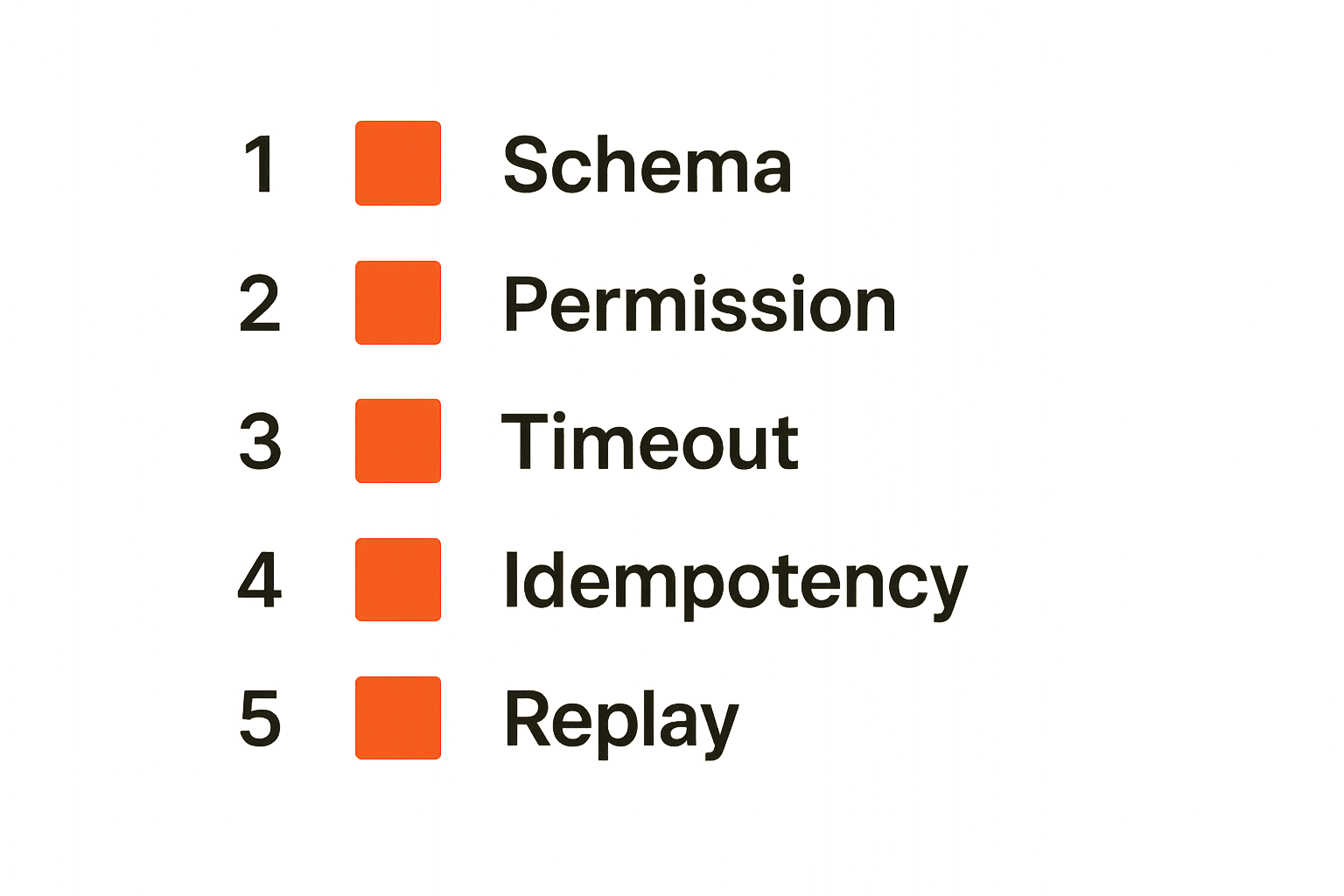
Contract tests are the cheapest defense against tool drift. For every exposed tool, create fixtures that validate input, output, errors, and permission behavior.
A minimal test matrix:
| Test type | Example | Failure caught |
|---|---|---|
| Schema test | Reject missing query | Bad agent input |
| Output test | Always return results[] | Parser breakage |
| Permission test | Deny write without scope | Privilege creep |
| Timeout test | Fail after configured limit | Hanging runs |
| Idempotency test | Repeat request safely | Duplicate actions |
The important part is running these tests on a developer Mac and in CI. If a tool only passes locally because of hidden state, the test is not protecting you.
Test failure paths on purpose
Agent demos usually show success paths. Production systems spend much of their time handling partial failure.
Test these cases deliberately:
- Tool server unavailable.
- Credential missing or expired.
- Permission denied.
- Malformed tool response.
- Slow response.
- Duplicate request.
- Stale context.
- Conflicting instructions.
What breaks in practice is that the agent receives a vague error string, invents a workaround, and continues as if nothing important happened. Good tools return structured failures that the agent, SDK, and human reviewer can understand.
Use fixtures instead of live chaos
Live integrations are necessary, but they should not be the first line of testing. Fixtures let teams reproduce behavior without burning API quota, depending on network state, or mutating real systems.
For agent tools, fixtures should include:
- Prompt inputs.
- Retrieved context.
- Tool responses.
- Permission decisions.
- Expected events.
- Expected final state.
Related reading from our network: smaller operators also need to separate useful automation from noisy tool sprawl; this guide to AI tools for freelancers is a useful adjacent comparison for workflow-first thinking.
Implementation workflow for a reliable Mac agent environment
Step one define the surfaces
Start by naming the surfaces before installing more software.
- List every local tool an agent can call.
- Classify each tool as read-only, write-capable, external, or privileged.
- Define the input and output schema for each tool.
- Define the credential scope required.
- Define the event emitted for every call.
- Define the state that can be changed.
This is usually uncomfortable because it exposes how much agent behavior depends on implicit local assumptions. That discomfort is useful.
Step two automate bootstrap
A bootstrap script should build the same environment for a new engineer, CI, and a clean test machine. It does not need to be perfect on day one. It does need to be explicit.
Example bootstrap sequence:
./scripts/check-system.sh
./scripts/install-runtimes.sh
./scripts/install-tools.sh
./scripts/create-workspace.sh
./scripts/start-local-services.sh
./scripts/validate-agent-env.sh
Then make validation fail loudly:
if ! curl -fsS http://localhost:7310/health > /dev/null; then
  echo "mcp-filesystem is not healthy"
  exit 1
fi

if [ ! -f .agent-workspace/config/permissions.yaml ]; then
  echo "missing permissions config"
  exit 1
fi
Step three validate every run
Every agent run should have a run ID, a trace path, and a validation result. This sounds heavy until the first serious bug. Then it feels obvious.
A practical local command might look like:
agent-dev run \
  --agent code-reviewer \
  --task fixtures/tasks/refactor-auth.yaml \
  --workspace .agent-workspace \
  --trace traces/runs \
  --validate
The command should fail if a required trace is missing, a tool emits an invalid event, or a write-capable tool runs without the expected scope.
Practical rule: A local agent run that cannot be replayed is a demo, not a development artifact.
Common failure modes with mac tools
Snowflake laptops
Snowflake laptops happen when every engineer’s environment is a private integration. One person has a newer MCP server. Another has a different Python minor version. Someone else has a cached vector index from last month. A fourth engineer has a token with broader permissions, so their tests pass.
The symptom is inconsistent behavior. The cause is usually unowned local state and missing bootstrap validation.
What works:
- Version pins.
- Health checks.
- Workspace reset commands.
- Contract tests in CI.
- Shared service manifests.
What fails:
- Wiki-only setup instructions.
- “Ask Sam for the env file.”
- Unpinned global packages.
- Silent fallbacks to whatever is installed.
Credential sprawl
Credential sprawl is worse with agents because credentials may be used indirectly. A developer may not realize that a local agent tool can access a cloud token through the shell environment, a browser session, or a config file.
This creates three problems:
- Nobody knows which authority the agent used.
- Revocation becomes broad and disruptive.
- Audit trails point to humans instead of delegated workflows.
The fix is not to ban local credentials. The fix is scoped delegation, explicit access events, and tools that fail closed when scope is missing.
Invisible agent decisions
The most frustrating failures are not hard crashes. They are plausible wrong actions. The agent picked the wrong tool, used stale context, skipped a permission check, or summarized an error as success.
If the decision path is invisible, teams respond by adding prompts. Sometimes the prompt is the problem. Often the missing trace is the problem.
A comparison helps:
| Bad local workflow | Better local workflow |
|---|---|
| Agent calls tools through ad hoc scripts | Agent calls versioned tools with schemas |
| Human token available everywhere | Scoped workflow credentials |
| Logs scattered across terminals | Run-level trace with event envelope |
| Tests rely on live services | Fixtures plus contract tests |
| Production events differ from local events | Shared event names and payload shapes |
| Failures discussed from screenshots | Failures replayed from trace artifacts |
That changes the conversation from “the model is flaky” to “this tool contract, permission boundary, or state transition is wrong.”
Where LogicSRC fits in the workflow
Open coordination surfaces
LogicSRC is useful when the problem is not a single agent, but coordination between agents, humans, plugins, payments, credentials, events, and hosted products. That is where private conventions start to hurt.
A local Mac workflow might begin with one agent calling one tool. The moment you add another plugin, another team, a hosted runtime, or a customer-facing action, you need shared surfaces:
- Actor identity.
- Delegation and consent.
- Tool contracts.
- Event schemas.
- Credential exchange.
- Auditable workflow state.
This is the architecture layer underneath the visible mac tools.
Agent identity and shared credentials
Agent identity needs to move with the workflow. If an agent has one identity locally, another in staging, and no consistent representation in production, audit and permission checks become fragile.
The same is true for credentials. A credential handoff should not be a paste operation. It should be a defined exchange with scope, lifetime, attribution, and revocation. Teams that need help designing these surfaces can engage LogicSRC through the hire us path when the work crosses from local prototype into platform architecture.
From local prototype to hosted product
The goal is not to make every laptop look like production. That is unrealistic and usually expensive. The goal is to make the important contracts portable.
If tool schemas, event names, credential scopes, and run traces are consistent, the workflow can move from a Mac to CI to a hosted product without being rewritten around invisible assumptions.
That is the practical standard for mac tools in AI agent systems: local enough to be fast, structured enough to be trusted, and open enough to interoperate.
Closing checklist for mac tools in 2026
What works
Use this as a short operating checklist:
- Define the local agent surfaces before choosing more tools.
- Pin runtimes and tool versions.
- Keep local services health-checkable and replaceable.
- Separate human identity from agent identity.
- Use scoped credentials for agent workflows.
- Write explicit tool contracts.
- Emit events for tool calls, permission checks, and state changes.
- Keep fixtures for repeatable tests.
- Make every meaningful run traceable and replayable.
What fails
The patterns that fail are predictable:
- Treating mac tools as personal productivity preferences only.
- Letting agents inherit broad human credentials.
- Shipping informal scripts as shared tool boundaries.
- Debugging from screenshots instead of traces.
- Creating local-only event names that production cannot use.
- Assuming a successful demo proves the workflow is operable.
The mistake teams make is waiting until production to discover that their local workflow had no real contracts.
The practical standard
Mac tools matter because the Mac is where many agent workflows are designed, tested, and trusted for the first time. But the tool list is not the architecture.
The architecture is the set of contracts around identity, permissions, tool calls, state, events, testing, and replay. Get those right, and the specific mac tools can evolve. Ignore them, and every new tool adds another hidden dependency.
In 2026, the best mac tools for agent builders are the ones that make local work portable, auditable, and interoperable.
Try logicsrc.com
logicsrc.com is for developers and platform teams building interoperable AI agent systems, SDKs, plugins, and hosted products. Try logicsrc.com.