Interactive Presentation Tools in 2026: Architecture Patterns for Agent-Ready Workflows
Interactive presentation tools used to be a UI decision. Pick a deck builder, add polling, maybe embed a demo, and call it done.
That model is breaking. In 2026, presentations are turning into live operating surfaces: agents summarize them, update them, trigger workflows from them, pull context into them, and sometimes present through them without a human driving every click.
Teams think the problem is better slides. The real problem is state, identity, permissions, events, and auditability across humans and AI agents.
That changes the conversation. The practical question is not which tool has the nicest animation. It is whether your presentation environment can behave like a reliable interface in a broader agent workflow.
Table of contents
- Why interactive presentation tools are an architecture problem
- The shift from slide files to stateful interfaces
- What interactive presentation tools must expose to agents
- Workflow design for AI assisted presentations
- Data identity and credential boundaries
- Standards and interoperability decisions
- What breaks when teams implement interactive presentation tools badly
- What works in production
- Implementation sequence for agent ready presentations
- Metrics and validation for interactive presentation tools
- Where logicsrc.com fits in the stack
- Closing checklist for interactive presentation tools
Why interactive presentation tools are an architecture problem
The slide deck is no longer the product
A modern presentation is rarely just a sequence of slides. It is a bundle of data, narration, audience inputs, workflow triggers, embedded demos, analytics, approvals, follow up tasks, and sometimes live agent output. The visible deck is only the front end.
The mistake teams make is evaluating interactive presentation tools as if the main job is to make a presenter look better. That matters, but it is not the hard part. The hard part is making the presentation trustworthy when it becomes connected to the rest of the product and operating environment.
A sales engineer asks an agent to tailor a demo deck for a customer. A maintainer asks an agent to generate a release presentation from issues, changelogs, and benchmark runs. A product team lets an agent answer audience questions during a webinar. A platform team embeds a live workflow that creates a sandbox, provisions access, and records the decision trail.
In all of those cases, the presentation tool is participating in the system. If it has no durable model of state, no event log, no permission boundary, and no integration contract, the team ends up duct taping it to everything else.
Practical rule: if a presentation can trigger work, update records, or expose customer context, treat it as an application surface, not a media file.
Why this matters now
AI agents have made presentation workflows more dynamic. They can draft, summarize, translate, demo, annotate, compare versions, and answer questions. That is useful. It is also a fast way to create operational ambiguity.
Who approved the generated slide? Which source was used? Did the agent summarize internal notes or public documentation? Was the embedded metric fresh, cached, or hallucinated? Did a viewer action create a support ticket, update CRM state, or just simulate the action?
These are not cosmetic questions. They determine whether the workflow can be trusted by engineering, legal, sales, support, and open source communities. Related reading from our network: teams making hiring decisions face similar workflow design problems before adding more people in software engineer jobs in 2026.
A useful way to think about it is this: interactive presentation tools are becoming coordination layers. Coordination layers need contracts.
The shift from slide files to stateful interfaces
Static content hides operational state
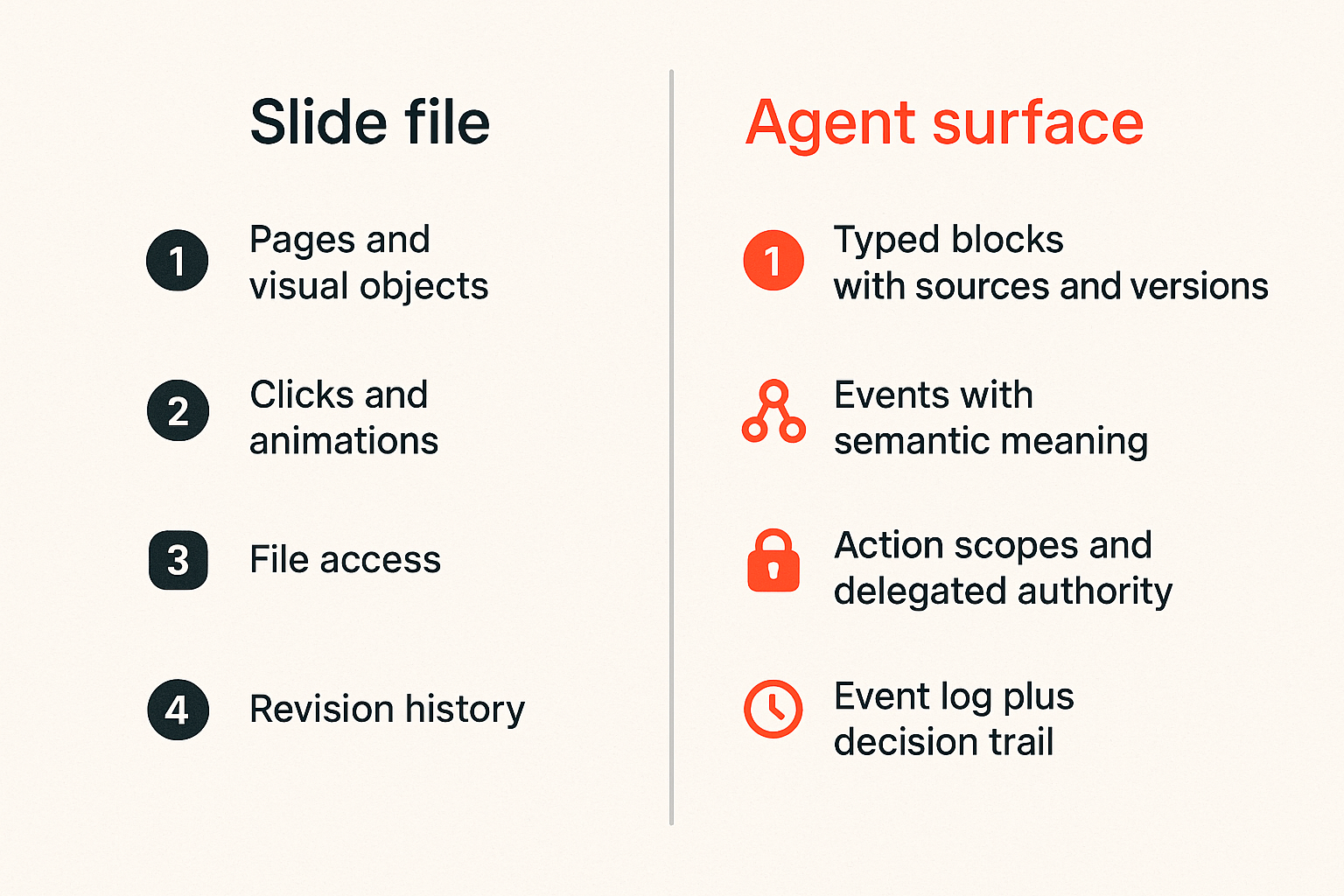
A slide file stores what should be shown. A stateful interface stores what happened, who did it, what changed, which inputs were used, and which actions remain possible.
That distinction becomes important as soon as agents enter the loop. A deck can say the roadmap changed. A workflow-aware presentation can show which roadmap source was consulted, whether the slide is stale, and whether the presenter has permission to publish the update.
Here is the difference in operator terms:
| Capability | Slide file mindset | Stateful interface mindset |
|---|---|---|
| Content | Pages and visual objects | Typed blocks with sources and versions |
| Interaction | Clicks and animations | Events with semantic meaning |
| Agent access | Screen reading or export parsing | Structured read and write APIs |
| Permissions | File access | Action scopes and delegated authority |
| Audit | Revision history | Event log plus decision trail |
| Recovery | Restore old file | Replay or reconcile workflow state |
What breaks in practice is usually not the first presentation. It is the third edit, the second agent, the customer-specific branch, or the follow up workflow that nobody modeled.
Agents need an explicit contract
Agents are good at interpreting loose context. Production systems should not depend on that talent. If an agent is expected to update a section, answer from a source, or trigger a workflow, it needs a contract that is narrower than the whole UI.
That contract should define:
- The presentation object model.
- The allowed read operations.
- The allowed write operations.
- The source hierarchy for generated content.
- The approval requirements for risky changes.
- The events emitted by viewer and presenter activity.
- The audit record attached to agent actions.
Without that contract, teams rely on screenshots, DOM scraping, browser automation, and prompt instructions. Those may work in a demo. They are fragile in production.
Practical rule: never make an agent infer permissions from visual layout. Permissions should be explicit, scoped, and enforced outside the model response.
What interactive presentation tools must expose to agents
Readable structure beats visual scraping
If your agent needs to understand a presentation, do not start with pixels. Start with structure.
An agent-ready presentation should expose typed units: title, claim, evidence, chart, quote, action, question, poll, code block, demo step, speaker note, source reference, and decision. The names do not need to be universal on day one, but they need to be stable enough for tools to reason about them.
A simple model is better than an expressive but opaque one:
presentation:
  id: pres_123
  version: 17
  audience: external_customer
  blocks:
    - id: blk_1
      type: claim
      source_policy: approved_public
      editable_by_agent: true
    - id: blk_2
      type: demo_action
      action_scope: sandbox_only
      requires_human_confirm: true
This is not about YAML specifically. It is about giving agents a reliable map. The visual renderer can still be beautiful. The workflow layer should not depend on the renderer.
Actions need scopes and confirmations
The most dangerous presentation feature is not generative text. It is action. Once a deck can create a trial account, push a config change, send a follow up email, open an issue, collect payment, or provision credentials, the presentation becomes a control surface.
Actions should be scoped by environment and risk:
- Read only actions, such as fetch latest benchmark.
- Sandbox actions, such as create demo workspace.
- User delegated actions, such as send notes to attendees.
- Admin actions, such as change account settings.
- External irreversible actions, such as charge a card or publish a release.
Each tier needs different confirmation and logging. The mistake teams make is adding a magical assistant button that can do too much because the demo feels smoother. Smooth is not the same as safe.
Events need stable meaning
Events are what let the presentation participate in workflows without becoming a monolith. A viewer asks a question. A presenter skips a pricing slide. A poll crosses a threshold. An agent revises a claim. A compliance warning blocks publication.
Useful events are semantic, not just UI noise:
presentation.viewedblock.source_staleagent.suggestion_createdhuman.approval_granteddemo.action_requestedfollowup.task_created
The names matter less than the discipline. Events should carry enough context to be useful, but not so much sensitive data that every event bus becomes a privacy problem.
Workflow design for AI assisted presentations
Separate preparation runtime and follow up
AI assisted presentations usually have three different runtimes. Mixing them creates bugs.
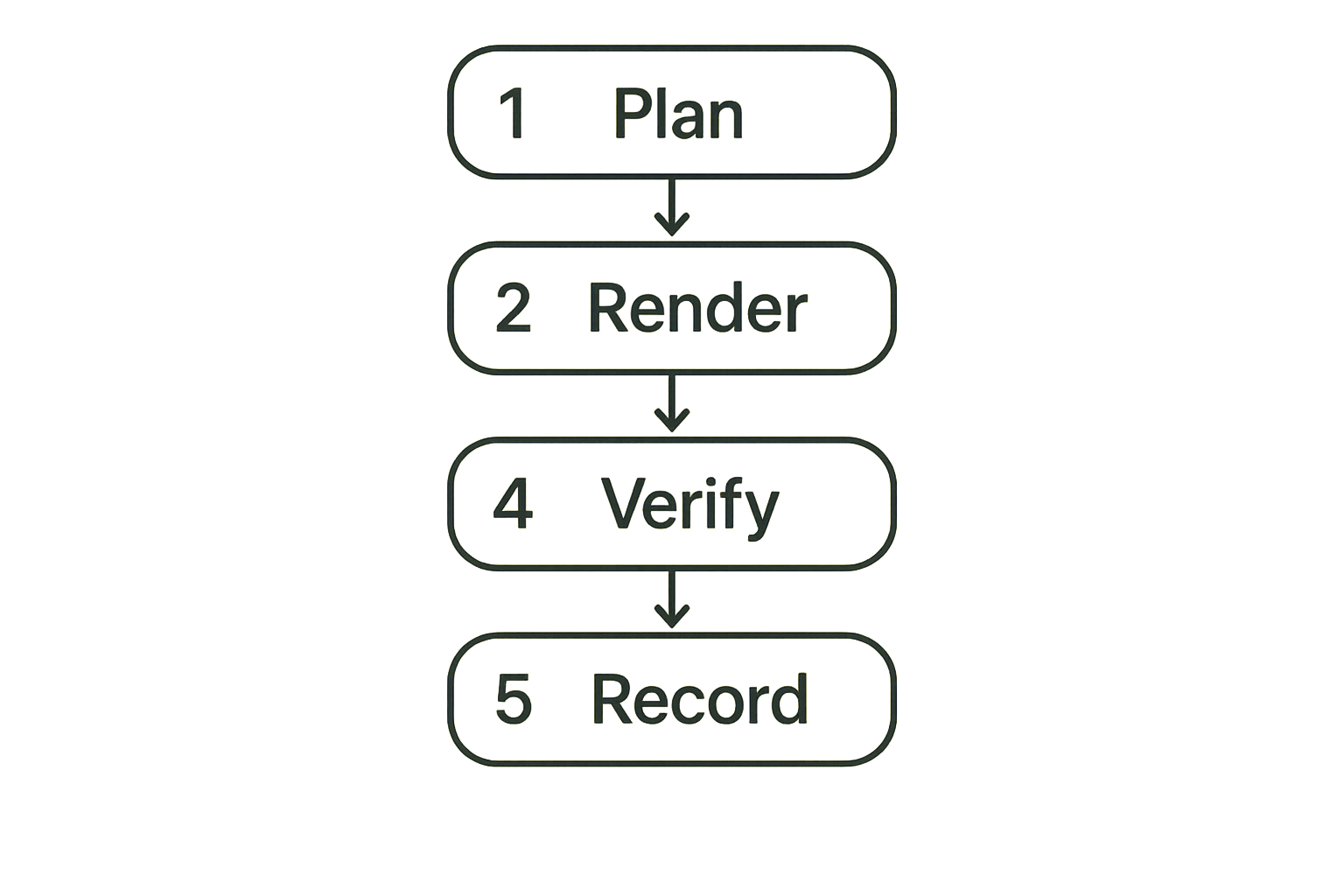
Preparation is where agents draft, retrieve context, check claims, generate visuals, and propose changes. Runtime is where a presenter or agent interacts with an audience. Follow up is where decisions, questions, tasks, and artifacts leave the presentation and enter other systems.
Each runtime has different latency, permissions, and failure behavior. Preparation can tolerate slower validation. Runtime needs graceful degradation. Follow up needs reconciliation.
A practical architecture separates them:
- Preparation service builds or updates the presentation from approved sources.
- Validation service checks sources, policy, freshness, and risky claims.
- Runtime service renders the presentation and captures events.
- Action gateway handles scoped tool calls and confirmations.
- Follow up worker reconciles outputs into tickets, docs, CRM, issues, or repositories.
This separation keeps a live presentation from becoming the only place where state exists.
Treat the presentation as a workflow node
The presentation should not own every workflow. It should expose events and accept controlled commands. Other systems should decide what those events mean.
For example, a maintainer presentation for a release can emit question.asked, risk.accepted, and action.item.created. A project workflow can subscribe and create GitHub issues, update release notes, or notify a working group. The presentation does not need to know all downstream systems.
This is also where local developer environments matter. If agents use local runtimes, MCP servers, and desktop tools during preparation, the workflow should still publish normalized artifacts into the presentation layer. The prior LogicSRC guide to Mac tools for AI agent builders is adjacent because local tools are often where agent workflows begin before they become shared surfaces.
Related reading from our network: remote teams face similar boundaries between collaboration UI and operational ownership in cloud based productivity and collaboration tools.
Data identity and credential boundaries
Do not leak credentials through convenience
Interactive presentation tools often want to connect to everything: docs, analytics, repositories, ticketing systems, payment dashboards, customer records, and internal APIs. That is where convenience becomes dangerous.
If the presenter connects a personal account and an agent operates through that connection, who is responsible for the action? If a customer-specific presentation includes internal data, can the agent reuse that context later? If an embedded demo uses a real API key, can an audience prompt cause unintended access?
The practical answer is to avoid raw credential sharing inside the presentation tool. Use delegated tokens, short lifetimes, scoped permissions, and explicit purpose labels. Credential flows should be visible enough that operators can debug them and constrained enough that a bad prompt cannot expand authority.
LogicSRC covers this coordination problem directly through its work on credential sharing, which is relevant when a human, an agent, and a hosted product all need bounded access without collapsing into one shared secret.
Practical rule: a presentation tool should never become the place where long lived secrets are pasted because integration was easier than delegation.
Identity must survive handoff
Presentations have handoffs everywhere. A founder drafts, a sales engineer edits, an agent updates, a customer asks a question, a support rep follows up, and a product manager turns feedback into roadmap work.
If identity is reduced to whoever owns the deck file, the audit trail becomes useless. Agent actions should be attributable to the agent, the delegating human, the tool used, and the policy context. Human actions should be tied to role and organization, not just email address.
This matters especially for open source maintainers and platform architects. Public artifacts often blend community input, maintainer judgment, automated summaries, and sponsor requirements. A presentation can become the public explanation of a decision. The provenance needs to be defensible.
Privacy rules need product behavior
Privacy is not a footer. It is product behavior. An agent-ready presentation system should define what data can be stored, embedded, logged, replayed, exported, and used for future generation.
The boring details are the real controls:
- Can audience questions be used in future training or retrieval?
- Are private notes included in agent context by default?
- Are screenshots stored separately from structured events?
- Can a presenter redact a segment after the fact?
- Does follow up export include hidden speaker notes?
Related reading from our network: privacy tradeoffs show up even in consumer messaging purchases, and the same principle applies to presentation workflows; avoid saving money or convenience by leaking data, as discussed in coupon codes for encrypted messaging apps.
Standards and interoperability decisions
Use standards for boundaries not branding
Open standards are useful when they reduce coupling. They are less useful when they become a badge on a product page while the real workflow remains proprietary.
For interactive presentation tools, standards should appear at the boundaries:
- Identity assertions.
- Delegated authorization.
- Tool invocation.
- Event schemas.
- Credential exchange.
- Content provenance.
- Audit export.
- Payment or entitlement checks when relevant.
The goal is not to standardize every animation or layout primitive. The goal is to let agents, plugins, hosted products, and human workflows coordinate without custom glue for every vendor.
MCP belongs at the tool edge
Model Context Protocol is useful when an agent needs controlled access to tools and context. In presentation workflows, MCP often belongs at the edge where the agent retrieves sources, checks systems, or proposes actions.
A practical design is to keep MCP servers close to the systems they expose, then normalize outputs into the presentation workflow. Do not make the presentation renderer responsible for every tool integration. Do not let a generic agent session hold broad access forever.
A useful boundary looks like this:
agent_session:
  allowed_tools:
    - docs_search
    - metrics_read
    - sandbox_create
  denied_tools:
    - production_write
    - billing_update
presentation_action_gateway:
  requires_confirmation:
    - sandbox_create
  emits_events: true
  stores_audit_record: true
This keeps the agent productive without turning the deck into an all powerful browser tab.
What breaks when teams implement interactive presentation tools badly
The agent edits the wrong thing
This is the most common failure mode. The agent changes a slide that looks similar, updates a generated summary but not the source citation, modifies a customer-specific branch, or overwrites a human-approved statement.
The root cause is usually missing structure. If blocks do not have stable IDs, sources, approval status, and edit rules, the agent operates on vibes. That may be acceptable for a brainstorm. It is not acceptable for a customer presentation, compliance update, release briefing, or investor communication.
What fails:
- Using slide order as identity.
- Treating speaker notes as hidden but ungoverned context.
- Letting agents rewrite approved claims without a review state.
- Exporting to PDF and then asking another tool to parse the result.
What works:
- Stable block IDs.
- Source references on claims.
- Separate draft and approved states.
- Change previews that show semantic differences, not just visual diffs.
The demo becomes an unaudited control plane
Live demos are where teams take shortcuts. The presenter wants a smooth flow. The agent can help. The tool can call APIs. Suddenly the presentation can provision resources, create users, and change settings.
If those actions are not scoped and logged, you have built an unaudited control plane with a nicer background.
The fix is not to ban live action. The fix is to route actions through a gateway that understands environment, user, agent, purpose, and confirmation. A demo action in a sandbox should not have the same authority as an admin action in production.
The support team inherits invisible state
Bad presentation workflows push ambiguity downstream. A customer asks for something during a webinar. The agent says it created a follow up. The presenter assumes it is handled. Support sees a vague task with no transcript, no context, no source, and no owner.
This is what breaks in practice: the presentation felt interactive, but the business process was not completed. Follow up needs structured output, not just a chat transcript.
Every exported action item should include:
- Who requested it.
- Who accepted it.
- What source context was visible.
- What the agent did or did not do.
- Which system received the task.
- What retry or failure state exists.
What works in production
Define a narrow presentation domain model
The teams that make this work do not start by modeling every possible creative element. They define a narrow domain model for the workflows that matter.
For an engineering demo, the domain model might include sections, claims, code examples, demo actions, environment status, questions, and follow up tasks. For a community governance presentation, it might include proposals, objections, votes, decisions, references, and unresolved issues.
The model should be small enough that agents can use it reliably and rich enough that humans can audit it.
Practical rule: model the workflow nouns before you model the presentation effects.
Make human approval cheap but explicit
Human approval fails when it is too slow, too vague, or too far away from the change. The approval mechanism should live where the presenter or maintainer is already working.
Good approval design shows:
- The proposed change.
- The source used.
- The risk level.
- The affected audience.
- The downstream action, if any.
- The rollback path.
Bad approval design asks a human to approve a whole deck after the agent changed twenty things. That is not review. That is ceremony.
The practical compromise is tiered approval. Low risk wording changes can be accepted quickly. Source changes and claims need review. External actions need explicit confirmation. Production actions need stronger controls or should be unavailable from the presentation surface.
Implementation sequence for agent ready presentations
Start with events before automation
Do not begin by giving agents write access. Begin by emitting events from the presentation workflow. Events are safer, easier to inspect, and useful even before automation exists.
A good first implementation sequence looks like this:
- Define presentation entities and stable IDs.
- Emit viewer, presenter, and content events.
- Store an append only event log.
- Add source references to generated or imported blocks.
- Build dashboards for stale content, unanswered questions, and failed follow up.
- Add agent suggestions as draft events, not direct edits.
- Add scoped actions behind confirmation.
- Add replay and reconciliation for failed downstream workflows.
This order gives operators visibility before autonomy. It also creates useful test data.
Add actions only after validation
Actions need validation at three layers.
First, validate the request. Is the action allowed in this presentation, for this audience, under this policy? Second, validate the actor. Is this human or agent allowed to request it? Is delegation still valid? Third, validate the target. Is the downstream system available, idempotent, and safe to call from this context?
For example:
action_request:
  type: create_demo_workspace
  requested_by: agent_demo_assistant
  delegated_by: user_42
  environment: sandbox
  idempotency_key: pres_123_blk_9_run_2
  requires_confirmation: true
Idempotency matters because live presentations are messy. Users double click. Browsers reconnect. Agents retry. Webhooks arrive late. If the action creates external state, duplicate execution becomes a support problem.
Version everything that agents touch
Versioning is not optional. Presentations change quickly, and agents need to know which version they read before proposing a change.
Version these objects at minimum:
- Presentation metadata.
- Blocks and sections.
- Sources and retrieval snapshots.
- Agent suggestions.
- Human approvals.
- Action policies.
- Event schemas.
Schema changes deserve special care. If an old event says question.created and a new event says audience.question.submitted, downstream systems need a migration path or translation layer. Otherwise your analytics and follow up break silently.
Metrics and validation for interactive presentation tools
Measure workflow reliability not slide polish
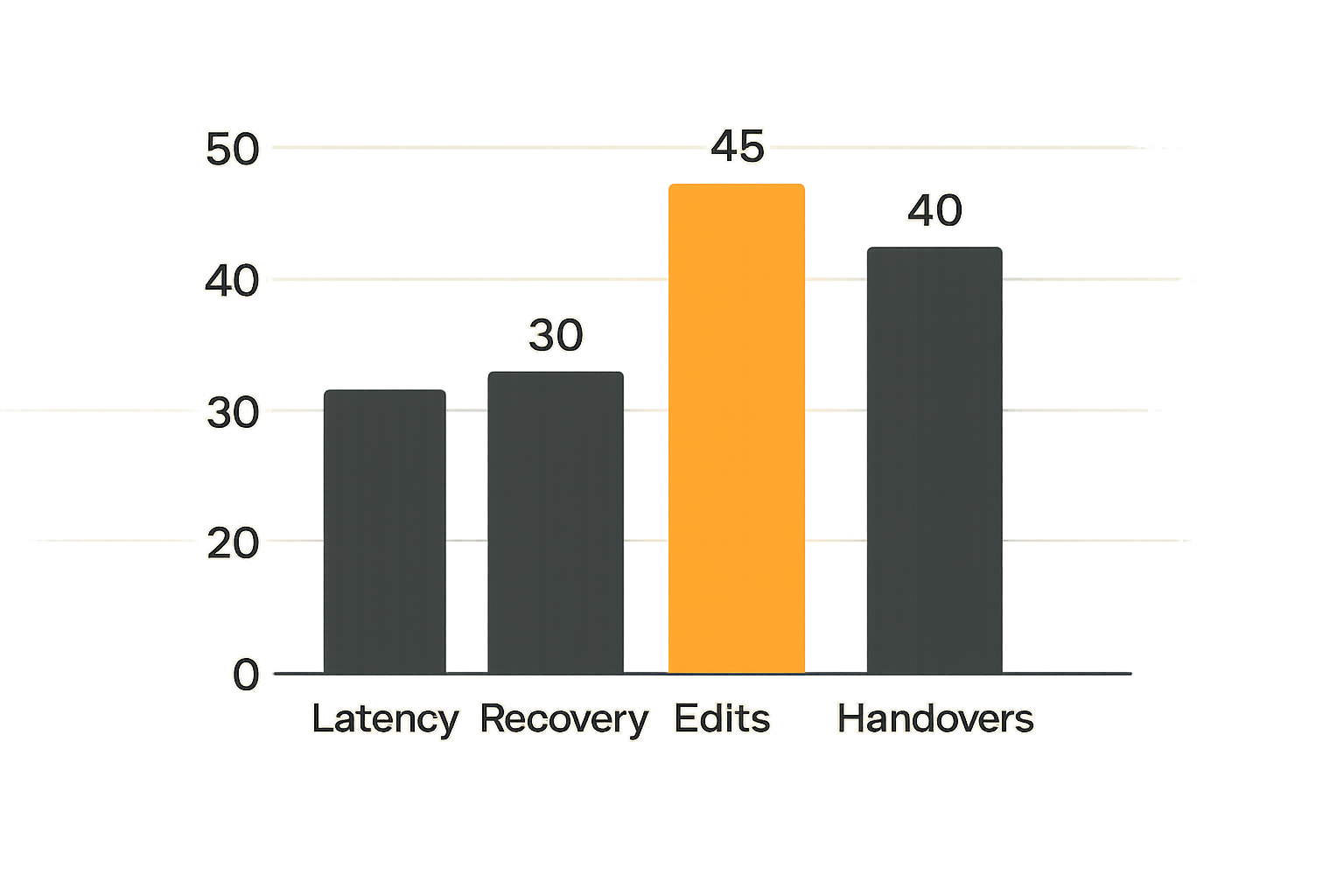
Most teams measure the easy things: attendance, engagement, completion, clicks, and maybe survey scores. Those are useful, but they do not prove the workflow is reliable.
For agent-ready interactive presentation tools, track operational metrics:
| Metric | Why it matters |
|---|---|
| Source freshness failures | Shows stale claims before they reach an audience |
| Agent suggestion acceptance rate | Reveals whether automation is useful or noisy |
| Human review latency | Shows whether approvals fit the workflow |
| Failed action retries | Exposes brittle integrations |
| Duplicate action prevention | Validates idempotency and retry design |
| Follow up completion rate | Connects presentation activity to real work |
| Audit reconstruction time | Measures whether incidents can be understood |
The point is not to drown teams in dashboards. The point is to know whether the system behaves correctly when humans and agents share the surface.
Test adversarial and boring cases
Teams often test impressive cases and skip boring ones. That is backwards. Production reliability comes from boring cases.
Test these scenarios:
- The source document disappears.
- The agent suggests a change after a human approved the old version.
- The presenter loses connectivity during a confirmed action.
- Two agents propose conflicting updates.
- A viewer asks for confidential information.
- A webhook retries after the presentation ends.
- A customer-specific deck is copied for another customer.
- A generated chart has old data but a fresh timestamp.
Also test adversarial prompts. Can an audience member cause the agent to reveal speaker notes, call a tool, or change the deck? Can the presenter accidentally share internal retrieval context? Can a plugin inject instructions into a source document?
Where logicsrc.com fits in the stack
Open coordination surfaces reduce lock in
The platform risk is clear: every presentation vendor builds its own agent interface, credential model, event format, and plugin behavior. Every agent vendor then integrates differently. Every hosted product receives inconsistent context.
That is expensive for developer tool builders and platform architects. It also makes open source workflows harder because the coordination layer is hidden inside proprietary UI behavior.
LogicSRC is focused on open schemas, primitives, and conventions for coordination between humans, AI agents, plugins, payment systems, and hosted products. The general mission is described on the LogicSRC about page, but the practical value for this topic is narrower: define surfaces that make agent participation explicit and auditable.
For interactive presentations, that can mean shared conventions for identity, events, approvals, credential boundaries, and workflow handoff. The presentation tool can remain specialized. The coordination contract should not be trapped inside it.
A product fit lens for platform teams
logicsrc.com is not trying to replace presentation software. The fit is in the layer underneath and around it.
If you are building a developer platform, agent SDK, plugin system, hosted product, or open source workflow, you need your interfaces to cooperate with presentation surfaces without custom one-off logic. You need to know who acted, what authority they had, what source was used, what event fired, and what downstream system accepted responsibility.
That means designing around primitives such as:
- Agent identity.
- Human delegation.
- Credential sharing.
- Event schemas.
- MCP-adjacent tool boundaries.
- Auditable workflow records.
- Portable context objects.
The useful product question is not whether a presentation looks interactive. It is whether the surrounding platform can trust and verify what happened there.
Closing checklist for interactive presentation tools
What to require from vendors and internal teams
If you are evaluating or building interactive presentation tools in 2026, ask for implementation evidence, not only demos.
Require answers to these questions:
- What is the structured object model?
- Can agents read it without scraping the UI?
- Can agents propose changes without directly publishing them?
- Are sources attached to generated claims?
- Are actions scoped by environment and authority?
- Is there an event log with stable semantics?
- Can downstream systems reconcile failed follow up?
- Are credentials delegated instead of pasted?
- Can identity distinguish human, agent, tool, and organization?
- Can an audit record be reconstructed after an incident?
If the answer is mostly trust the assistant, the architecture is not ready.
The final architecture test
The final test is simple: after a live session, can another qualified operator reconstruct what happened without watching the recording?
They should be able to see which content was shown, which sources were used, which agent suggestions were accepted, which human approvals occurred, which actions were triggered, which systems received follow up, and which failures still need attention.
If they cannot, the presentation was interactive only at the UI layer. The workflow was still opaque.
Interactive presentation tools are becoming part of the agent operating surface. Treat them that way. Model state. Scope action. Emit events. Preserve identity. Validate sources. Make approval explicit. Keep the coordination layer open enough that agents, plugins, hosted products, and humans can work together without guessing.
Try logicsrc.com
logicsrc.com is for developers and platform teams building interoperable AI agent systems, SDKs, plugins, and hosted products. If your interactive presentation tools need open coordination surfaces for agents, credentials, events, and auditable workflows, Try logicsrc.com.