Mac Tools for AI Agent Builders: A Practical 2026 Workflow Architecture
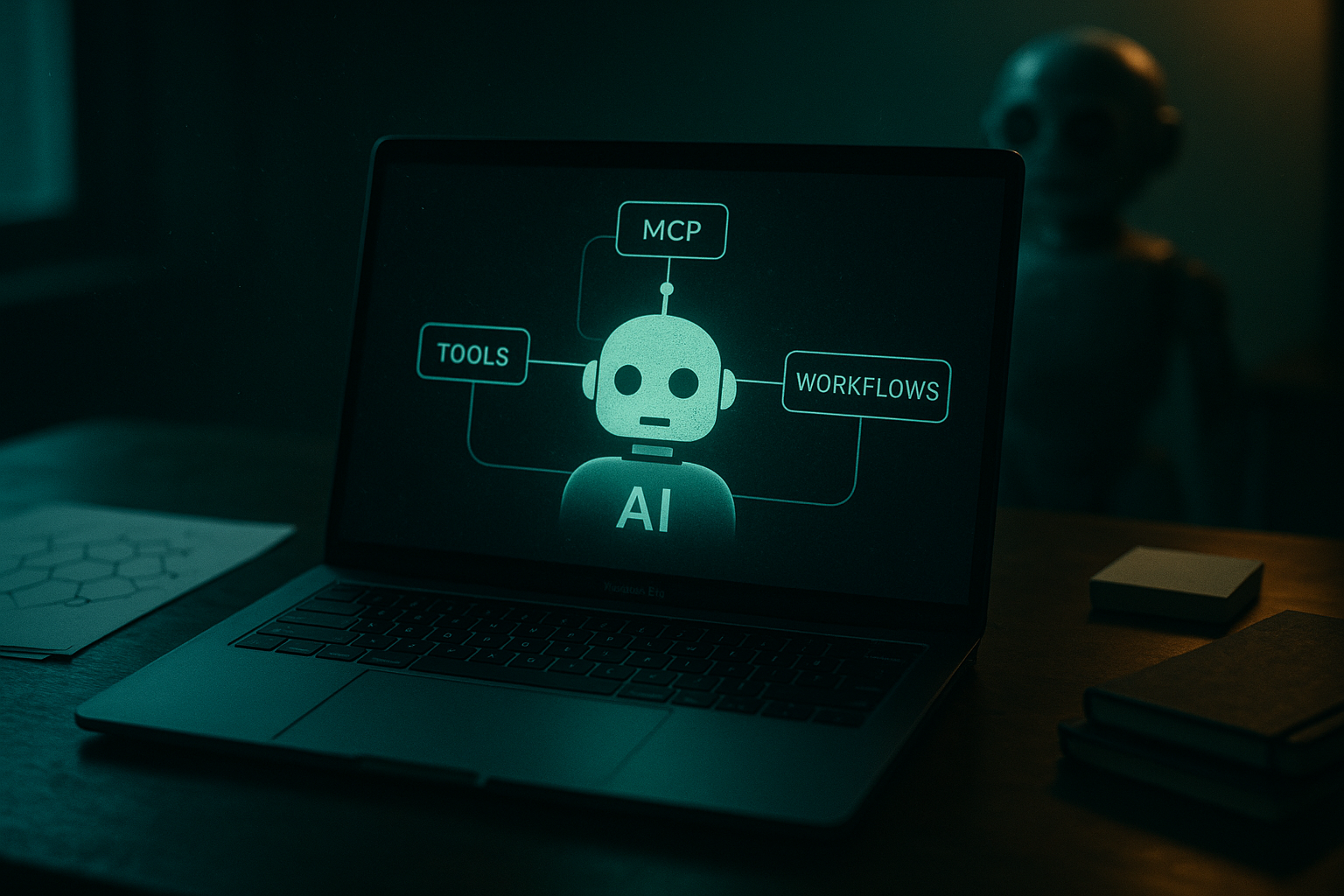
Most AI agent teams start by arguing about which mac tools belong on a developer laptop: editor, terminal, package manager, local model runner, MCP client, tracing tool, secrets store, browser automation stack.
That argument is usually too small. The Mac is no longer just a place where code gets typed. For AI engineers and platform teams, the Mac has become the local runtime where agents call tools, request credentials, subscribe to events, run tests, and simulate production workflows before anything reaches a hosted environment.
Teams think the problem is picking better mac tools. The real problem is designing a trustworthy local agent architecture that does not collapse when it meets identity, permissions, state, and audit requirements.
That changes the conversation. The practical question is not “Which app should we install?” It is “What must be standardized locally so agents, plugins, SDKs, hosted products, and human operators can coordinate without every team inventing a private control plane?”
Table of contents
- Mac tools are now an agent runtime surface
- The baseline stack for AI agent work on macOS
- Identity and credential handling decide whether mac tools scale
- MCP and tool interfaces need a local contract
- Workflow orchestration beats ad hoc agent demos
- Testing mac tools for agent reliability
- What breaks when teams implement mac tools badly
- What works in production grade Mac agent environments
- Comparison: app first mac tools versus architecture first mac tools
- Product fit: where LogicSRC fits
Mac tools are now an agent runtime surface
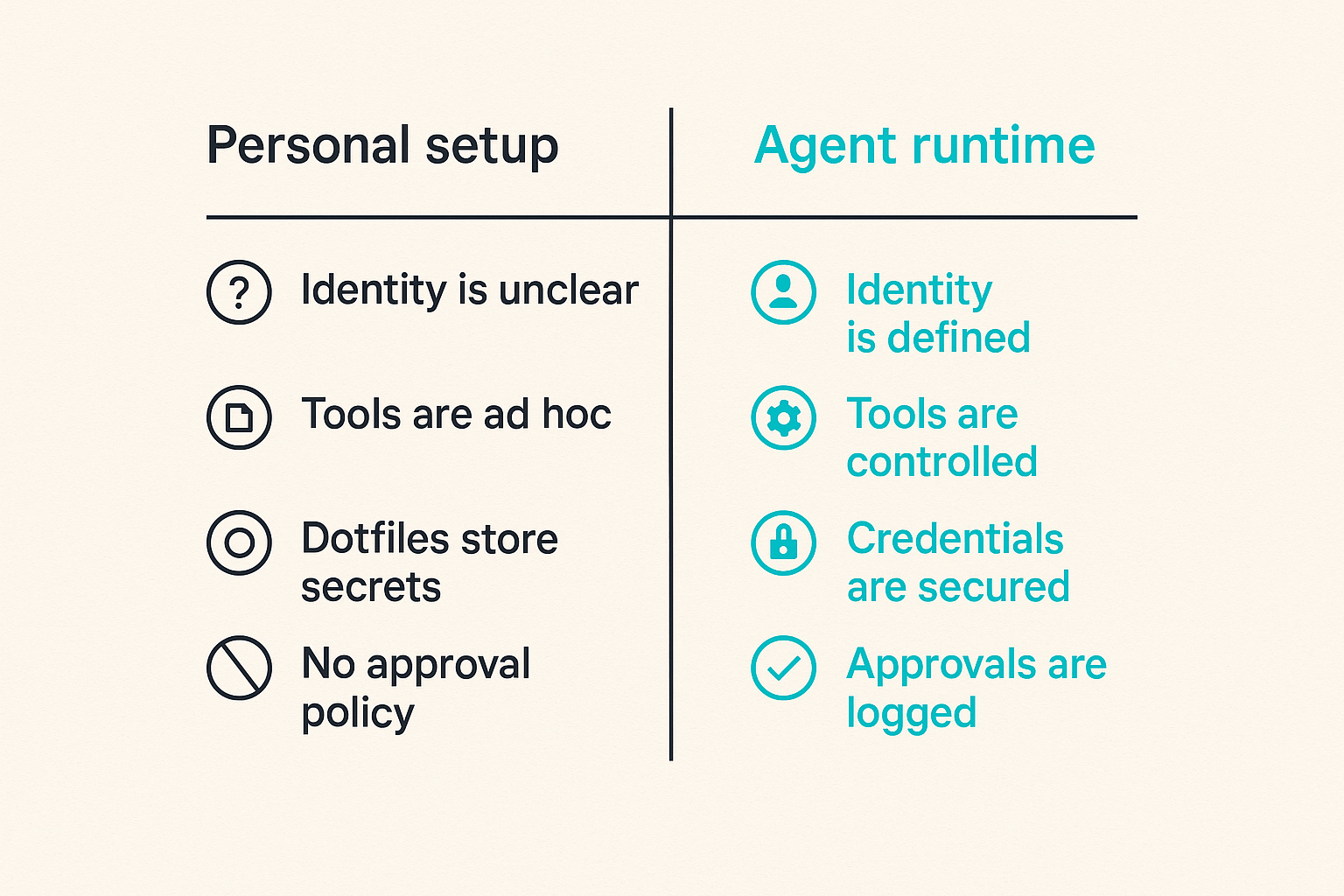
The mistake teams make is treating mac tools as individual productivity choices. One engineer installs a local model runner. Another adds an MCP server. A third stores tokens in a dotfile because the prototype needs to work before lunch. A fourth adds browser automation and suddenly the agent can click through internal systems.
None of those choices is automatically wrong. What breaks in practice is the absence of a shared runtime contract.
A useful way to think about it is this: the Mac is the edge environment for agent development. It is close enough to a human operator to request approval, close enough to source code to modify behavior, and close enough to production APIs to cause real damage if credentials and permissions are sloppy.
The Mac is where ambiguity shows up first
Production systems force boundaries. Local environments often avoid them. That is why agent issues appear first on developer machines:
- Which identity is the agent using?
- Which tools can it call?
- Which files can it read?
- Which secrets are available?
- Which actions require human approval?
- Which events are logged?
- Which workflow state survives a crash?
If those questions are answered differently on every laptop, your agent platform is not really a platform. It is a collection of local customs.
Practical rule: If a local agent can do something that would require approval in production, the local workflow should model that approval path instead of bypassing it.
Why open standards matter locally
Open AI agent standards are not only about interoperability between cloud vendors. They matter on the Mac because local tools become the first integration layer.
MCP servers, credential brokers, event emitters, SDKs, and plugins need predictable contracts. A local tool should not need custom logic for every agent host. An agent host should not need private adapters for every internal system. The standard surface should define how tools are described, invoked, authorized, observed, and retired.
That is the reason the older “developer laptop as personal workspace” model is under pressure. In agent systems, local workstations participate in a broader coordination network.
The operator view of developer experience
Developer experience is often reduced to speed: install fast, run fast, ship fast. For agent systems, speed alone is not enough.
The operator view asks different questions:
- Can a new engineer reproduce the same workflow in one hour?
- Can a security reviewer understand which local tools have access to credentials?
- Can a platform team rotate a permission without breaking every agent demo?
- Can a failed tool call be replayed with enough context to debug it?
- Can a plugin be replaced without rewriting the entire workflow?
Related reading from our network: software engineer workflow design covers a similar role-and-tool boundary problem from the SaaS productivity side. The same lesson applies here: tools are only useful when the workflow around them is explicit.
The baseline stack for AI agent work on macOS
There is no universal stack. There are, however, categories that most serious AI agent teams eventually need. The practical question is how these categories connect.
Local execution tools
At minimum, a modern Mac agent workstation usually needs:
- A package manager for repeatable installs
- A language runtime strategy for Python, JavaScript, TypeScript, Go, or Rust
- Container tooling for service parity
- Local model execution where latency, privacy, or offline testing matters
- A task runner for repeatable workflows
- A secrets interface that does not rely on random environment variables
The goal is not to bless one tool in each category. The goal is to avoid hidden dependencies. If the agent only works because one engineer has an undocumented binary, shell alias, or token file, you do not have a reliable local environment.
For a deeper adjacent treatment, our prior guide on mac tools for AI agent builders walks through the broader workstation architecture. This article focuses more tightly on the operational contract behind those choices.
Agent and tool protocol clients
Agent development now involves more than a chat window. A useful workstation may include:
- An MCP client or host for calling local and remote tools
- Local MCP servers for filesystem, database, browser, Git, issue tracker, and documentation access
- A prompt and policy testing harness
- A plugin sandbox
- A workflow replay tool
- A way to inspect tool arguments and responses
The important part is visibility. If the tool interface is invisible, the system becomes hard to reason about. Engineers need to see not only the model response, but the actual calls made between the agent and the environment.
Observability and event capture
Logs are not enough. Agent workflows need structured event capture because the failure modes are rarely a single stack trace.
Capture events such as:
- Agent task started
- Tool discovered
- Tool invoked
- Credential requested
- Human approval requested
- Policy denied action
- External API returned error
- Agent produced final output
- Workflow cancelled or escalated
These events become the difference between “the agent did something weird” and “the agent called the repository tool with this permission set after this prompt and failed because the credential scope did not include issue write access.”
Identity and credential handling decide whether mac tools scale
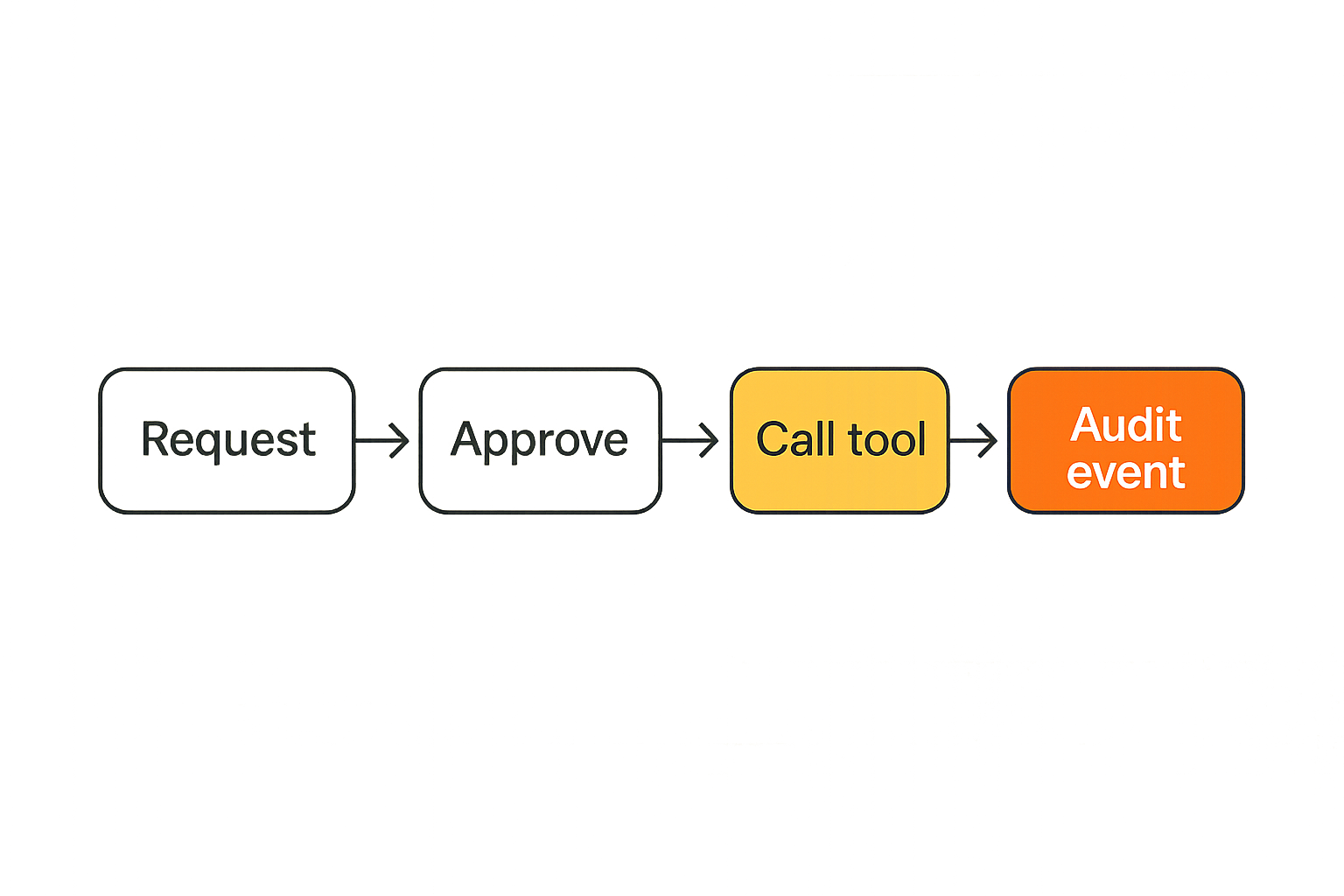
Most agent prototypes cheat on credentials. They use a developer token, a broad API key, or a local .env file. That is fine for a throwaway experiment. It is not fine for a team building SDKs, plugins, hosted agent products, or internal automation.
The mistake teams make is assuming credential management can be fixed later. It usually cannot. Agent behavior becomes coupled to whatever authority model existed during the prototype.
Avoid long lived local secrets
Long lived local secrets create three problems:
- They are hard to rotate.
- They are hard to scope.
- They are hard to attribute.
An agent using a developer’s permanent token is not acting as itself. It is borrowing human authority without a clean boundary. When something goes wrong, the audit trail says the human acted, even if the action was generated by an autonomous workflow.
Prefer short lived credentials, scoped grants, and explicit issuance events. If a tool call needs repository write access, the grant should say that. If it needs customer data access, the grant should say that too.
Practical rule: Do not let local convenience create production authority. A local agent should receive the smallest credential that can complete the current workflow step.
Separate human identity from agent authority
A human may approve an action, but the agent should still have its own operational identity. That identity may be local, ephemeral, or mapped to a hosted control plane, but it should exist.
This distinction matters for:
- Audit trails
- Rate limiting
- Policy enforcement
- Incident response
- Revocation
- Cost attribution
- Plugin marketplace governance
If every action collapses into “Alice’s laptop did it,” the platform cannot distinguish between Alice, Alice’s agent, and a compromised plugin running under Alice’s shell.
For teams standardizing credential flows, the LogicSRC work around credential sharing is directly relevant because agent systems need a way to grant access without turning every plugin into a secret owner.
Make consent replayable and auditable
Consent should not be a vague UI moment. It should produce a record that can be inspected later.
A useful consent event includes:
- Who approved it
- Which agent requested it
- Which tool or plugin needed it
- Which resource scope was granted
- How long the grant lasts
- Which workflow step required it
- Whether the grant was used
Related reading from our network: end to end encryption messaging architecture is about private communication rather than agent tooling, but the key-management lesson carries over: authority must be explicit, scoped, and recoverable under operational pressure.
MCP and tool interfaces need a local contract
MCP made tool exposure more practical, but protocol support alone does not make an agent environment safe or maintainable. The contract around each tool matters as much as the transport.
Treat every tool call as an interface boundary
A tool call is not “just a function call.” It is an interface boundary between probabilistic planning and deterministic execution.
For every tool, define:
- Purpose
- Input schema
- Output schema
- Required permissions
- Side effects
- Rate limits
- Idempotency behavior
- Error model
- Observability fields
If the tool sends an email, opens a pull request, charges a customer, deploys code, or changes a database, the side effect must be obvious from the schema and event stream.
Version tool schemas like APIs
Tool schemas drift. An argument becomes optional. A field is renamed. A response gains nested metadata. A policy wrapper is added. If these changes are not versioned, older agents fail in confusing ways.
Version tool interfaces the same way you would version public APIs:
- Keep stable names for stable behavior.
- Add fields before removing fields.
- Mark deprecated fields clearly.
- Record schema version in every tool event.
- Test old workflows against new tool versions.
Practical rule: If a tool can be called by more than one agent host, it deserves versioning, compatibility tests, and a deprecation path.
Design for tool substitution
The point of open standards is not to force every team into the same tool. It is to make substitution possible.
A repository tool might point to GitHub today, GitLab tomorrow, and an internal code review system later. A memory tool might use local storage during development and a hosted event store in production. A browser tool might use one automation engine locally and another in CI.
Substitution only works if workflows depend on capabilities, not brand-specific assumptions. Describe what the tool does, what authority it needs, and what events it emits. Then the implementation can change without rewriting the agent.
Workflow orchestration beats ad hoc agent demos
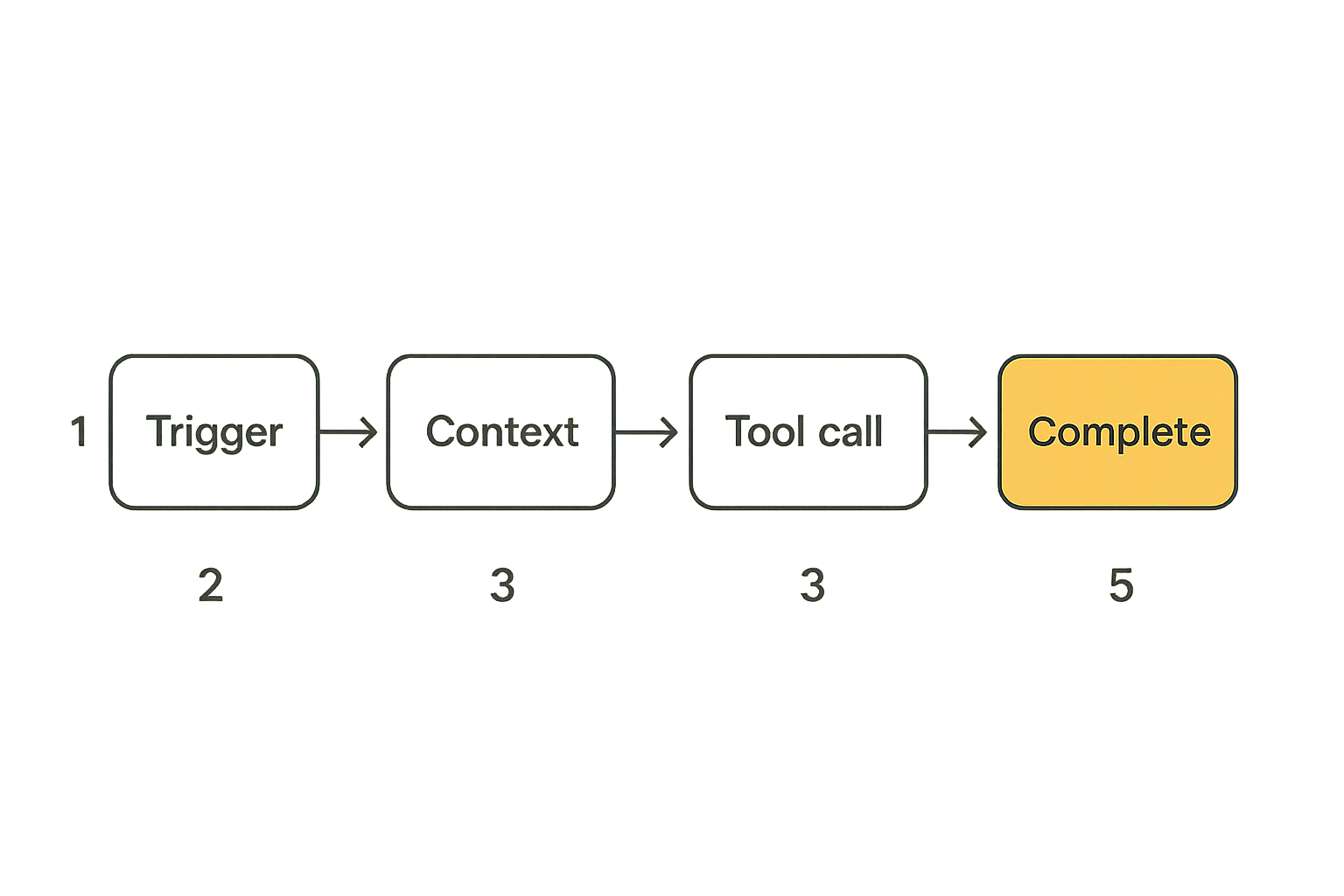
Agent demos are easy to fake. Reliable workflows are harder. The gap is orchestration: the explicit sequence of steps, state transitions, approvals, retries, and escalations that turn a model response into an operational process.
Define the agent job before wiring tools
Start with the job, not the tool list.
A practical agent job definition includes:
- Trigger: what starts the workflow?
- Objective: what outcome is expected?
- Inputs: what context is allowed?
- Tools: which capabilities are needed?
- Permissions: which scopes are required?
- Human checkpoints: where approval is required?
- Completion criteria: what counts as done?
- Failure behavior: what happens when it cannot continue?
For example, “triage a bug report” is not enough. A better job definition says the agent may read issue content, search docs, inspect recent commits, classify severity, draft a response, and request approval before applying labels or assigning an engineer.
Use events instead of hidden side effects
Hidden side effects are where local agent systems become unmaintainable. A script updates a file. A plugin mutates a ticket. A browser automation step clicks a button. The agent continues, but no durable event says what changed.
Use events as the backbone:
workflow.startedcontext.loadedtool.requestedcredential.grantedapproval.requestedaction.performedworkflow.completedworkflow.failed
Events let you replay, debug, and connect local development to hosted operation. They also create a common surface for SDKs, plugins, and monitoring tools.
Keep humans in the escalation path
Autonomy is not binary. Most useful agent systems include supervised autonomy: the agent handles low-risk steps and escalates high-risk decisions.
Escalation should be part of the workflow, not a panic button added later. Define escalation rules for:
- Missing credentials
- Ambiguous user intent
- Policy conflicts
- External system errors
- High-impact side effects
- Low model confidence
- Irreversible actions
Related reading from our network: cloud based productivity and collaboration tools deals with remote team coordination, but agent teams face the same coordination issue when local decisions need to become shared operational state.
Testing mac tools for agent reliability
Mac tools used for AI agents need tests that cover more than code paths. You are testing the interaction between prompts, policies, credentials, tools, events, and external systems.
Record inputs and decisions
A useful test fixture records:
- Initial user request
- System and developer instructions
- Retrieved context
- Tool schemas available at runtime
- Credentials requested
- Human approvals simulated or denied
- Tool calls and responses
- Final output
Without this record, you cannot tell whether a regression came from a model change, tool schema change, prompt change, missing credential, or external API behavior.
Mock external tools without lying
Mocks are necessary. Bad mocks are dangerous.
A mock should preserve the operational constraints of the real tool:
- Same schema
- Same error categories
- Same permission requirements
- Similar latency patterns where relevant
- Same idempotency behavior
- Same event emission contract
If the mock always succeeds, your local suite will hide production failure. If the mock ignores permissions, your tests will approve workflows that production correctly denies.
Run regression suites against workflows
Test workflows, not just functions. A minimal regression suite might include:
- Happy path with approved credentials.
- Missing credential path.
- Human denial path.
- Tool timeout path.
- Schema mismatch path.
- Duplicate event or retry path.
- Partial completion path.
The goal is not perfect determinism. The goal is bounded behavior. If the model chooses slightly different wording, that may be acceptable. If it calls a destructive tool without approval, that is not acceptable.
What breaks when teams implement mac tools badly
The failure pattern is predictable: the local demo works, the team builds around it, and then every serious operational requirement feels like a rewrite.
Tool sprawl creates invisible policy drift
Tool sprawl happens when every engineer adds their own local agent capabilities without a shared registry or policy model.
Symptoms include:
- Multiple tools doing the same job with different permissions
- Agents that work only on one laptop
- Plugin behavior nobody owns
- Credentials stored in inconsistent places
- Local policy bypasses that never existed in production
- Debugging sessions that start with “what do you have installed?”
The fix is not to ban experimentation. The fix is to separate experimental tools from approved workflow tools. A team can move fast while still requiring a registry for tools that handle production-like authority.
Local success hides production failure
Local environments often have too much access. Developers are admins. Shells are already authenticated. Files are available. Network paths are open. Feature flags are relaxed.
That means a local agent can appear capable while relying on privileges it will not have in production.
This is especially dangerous for SDK and plugin builders. If your SDK examples assume broad local authority, downstream developers copy that pattern into their own products. The bad architecture spreads.
No audit trail means no operational trust
When a workflow fails, teams need a timeline. Without one, the investigation becomes guesswork.
A basic audit trail should answer:
- What was the user trying to do?
- Which agent handled the request?
- Which tools were available?
- Which tools were called?
- Which credentials were granted?
- Which human approvals occurred?
- Which external systems changed?
- Why did the workflow stop?
If mac tools do not produce this information locally, engineers will not design for it later. They will ship an opaque system and then try to bolt on observability after the first incident.
What works in production grade Mac agent environments
The teams that make progress do not overcomplicate the local stack. They standardize the parts that affect trust and leave room for personal preference where it does not matter.
A reference workstation profile
A reference profile describes the supported baseline. It should include:
- Required runtimes and versions
- Approved package manager setup
- Local agent host configuration
- MCP server registry
- Credential broker configuration
- Event sink configuration
- Test harness commands
- Policy files
- Debugging tools
This does not mean every engineer has an identical laptop. It means workflow-critical surfaces are predictable.
A repeatable onboarding workflow
A strong onboarding workflow is a test of your architecture. If a new engineer cannot reproduce the agent environment, your stack is underdocumented or too coupled to personal setup.
A practical implementation sequence looks like this:
- Install baseline runtimes and task runner.
- Authenticate the human through the approved identity provider.
- Register the workstation as a local development environment.
- Install approved agent hosts and MCP servers.
- Configure the credential broker with no broad default grants.
- Connect the local event sink.
- Run a safe workflow that requires read-only tool access.
- Run a supervised workflow that requires explicit approval.
- Run the regression suite.
- Confirm audit events in the shared viewer.
This sequence validates identity, tools, credentials, events, and tests before the engineer touches a high-impact workflow.
A lightweight governance model
Governance does not need to be heavy. It does need owners.
Define ownership for:
- Tool registry
- Credential scopes
- MCP server templates
- Workflow test fixtures
- Event schemas
- Approval policies
- Deprecated tools
- Incident review
For a small open source project, this might be one maintainer and a reviewed configuration file. For a platform team, it may be a formal internal process. The point is the same: someone must own the contract.
Comparison: app first mac tools versus architecture first mac tools
A comparison table makes the difference obvious.
| Area | App first setup | Architecture first setup |
|---|---|---|
| Tool choice | Personal preference | Capability mapped to workflow |
| Credentials | Local tokens and .env files | Scoped, short lived grants |
| Identity | Human identity reused everywhere | Human approval separated from agent authority |
| MCP usage | Add servers as needed | Registry, schema versions, policy metadata |
| Testing | Prompt demos and manual runs | Workflow regression suites |
| Observability | Terminal logs | Structured event timeline |
| Onboarding | Ask a senior engineer | Repeatable setup sequence |
| Failure handling | Debug after breakage | Escalation and retry paths designed upfront |
Where app first setups fail
App first setups fail at the seams. One tool is excellent. Another is useful. A third is experimental. But nobody defined how authority, events, and state move between them.
This is how teams end up with:
- Agents that cannot be safely shared
- Plugins that over-request access
- Tests that only work for the original author
- Workflows that cannot be replayed
- Production systems that reject local assumptions
The UI looked productive. The architecture was missing.
Where architecture first setups hold up
Architecture first does not mean slow. It means the team standardizes the boring contracts early:
- Tool schema format
- Permission model
- Event names
- Approval checkpoints
- Test fixture structure
- Credential issuance pattern
- Deprecation process
Once these exist, adding a new tool is faster because the integration path is known. That is the part many teams miss. Standards are not overhead when they remove repeated negotiation.
Practical rule: Personalize editors and shortcuts. Standardize tool authority, event shape, credential flow, and workflow tests.
Product fit: where LogicSRC fits
LogicSRC is about open schemas, primitives, and conventions for coordination between humans, AI agents, plugins, payment systems, hosted products, and auditable workflows. That is exactly the layer mac tools need once they become part of agent runtime architecture.
Open surfaces for agent coordination
The useful product surface is not another opaque assistant. It is a coordination layer that can describe identity, permissions, events, credentials, and workflow state in ways other tools can understand.
For teams building interoperable agent systems, the design center is simple:
- Agents should not need private integrations for every tool.
- Plugins should not become secret silos.
- Hosted products should understand local workflow events.
- Human approval should be represented as structured state.
- SDKs should expose contracts that survive implementation changes.
The broader LogicSRC mission is described on the about page, but the short version for platform teams is this: open coordination surfaces matter because agent ecosystems fail when every product invents its own trust model.
From local workstation to hosted product
The local Mac environment is where agent workflows are designed. Hosted systems are where they are operated. The transition should not require a rewrite.
A good local-to-hosted path preserves:
- Tool capability descriptions
- Credential request semantics
- Approval events
- Workflow state transitions
- Audit logs
- Error categories
- Policy decisions
If your mac tools emit the same kinds of events and use the same authority model as your hosted product, the deployment path becomes much cleaner. If they do not, every release is a translation exercise.
The closing point is deliberately practical: mac tools are now part of the agent platform boundary. Treat them as architecture, not accessories, and the rest of the system becomes easier to reason about.
Try logicsrc.com
You are writing for developers and platform teams building interoperable AI agent systems, SDKs, plugins, and hosted products. Try logicsrc.com.